Onepay: Tu billetera digital


Onepay: Tu billetera digital Summary
Onepay: Tu billetera digital is a mobile Android app in Finance by Transbank S.A.. Released in Jul 2019 (6 years ago). It has about 2.7M+ installs and 17.3K ratings with a 3.87★ (average) average. Based on AppGoblin estimates, it reaches roughly 235K monthly active users . Store metadata: updated Oct 30, 2025.
Recent activity: 1.8K installs this week (8.5K over 4 weeks) showing below average growth , and 1.00 new ratings this week View trends →
Data tracking: SDKs and third-party integrations were last analyzed on Apr 15, 2025.
Store info: Last updated on Google Play on Oct 30, 2025 .
Onepay: Tu billetera digital was last scanned for SDKs 2025-04-15. Below is the overview of third party companies detected in the app. The full list of raw SDKs, app permissions and unknown SDKs is available here.
 Square
 Airbnb Engineering
 JetBrains
 Google
 Facebook
 Firebase
3.87★
Ratings: 17.3K
Screenshots

App Description
Add credit or debit cards to your cell phone and pay online or in person
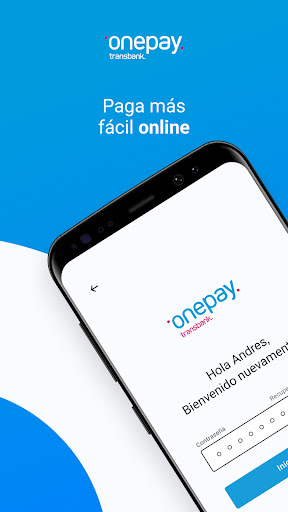
Download Onepay and your purchases will be faster, easier and safer. Add your credit and debit cards and pay in face-to-face stores that have QR Collection and in online stores with Webpay.
You will no longer have to enter a bank password, coordinate card, dynamic key or others, because Onepay is the digital wallet with which you can pay in Webpay and now also in premises enabled for payment with QR code, through Transbank's QR Collection.
Onepay is so easy to use, that you will be paying with your cell phone anywhere, with these simple steps:
● Install the app and create your Onepay account
● Create your 5-digit PIN. You will only use it when you pay with Onepay.
● Add any credit or debit card. Just this time you will use your bank password, coordinate card or dynamic key.
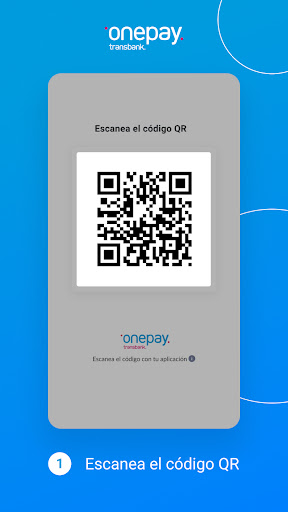
Ready! Now when buying in a QR code remember to ask if the store is attached to Transbank's QR Code, scan the QR code or enter the purchase code that the seller will indicate to you, authorize the payment with your 5-digit PIN, it's that simple. In Webpay you just select Onepay and follow the same steps above.
Do you have more doubts? Review the most common questions we receive about Onepay, so you too convince yourself to use the digital wallet for everyone.
In which merchants can I pay with Onepay?
Use Onepay to pay at businesses that have Transbank QR Collection, along with all ecommerce and websites that have Webpay. Remember that in both cases you will have to scan the QR code or type the purchase code that appears under the QR, either on the seller's cell phone or on the computer screen.
Can I add and pay with all my cards in Onepay?
Add and pay with Onepay using the credit cards of the main banks in the country: Visa, Mastercard, Magna, American Express and Dinners. In addition, you can use debit and Redcompra cards from most national banks.
If you have difficulties adding a credit or debit card, we ask you to consult your bank or card issuer.
What happens to the cards that I added in Onepay if I lose my phone?
To give you peace of mind, all the data of your cards in Onepay are stored in Transbank's systems. If you had a problem and your cell phone was lost (or stolen), you can remove it from your list of authorized devices, logging in with your Onepay account from another device you trust.
Why does Onepay request permissions to access the camer