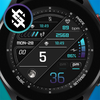
BFF8- Digital : Color

ASO Keyword Dashboard
Tracking 136 keywords for BFF8- Digital : Color in Google Play
BFF8- Digital : Color tracks 136 keywords (no keywords rank yet; 136 need traction). Key metrics: opportunity 70.6, difficulty 46.3.
Digital & Analog for Wear OS by BFF-Storm (Except for the square watch face)
Tracked keywords
136
0 ranked • 136 not ranking yet
Top 10 coverage
—
Best rank — • Latest leader —
Avg opportunity
70.6
Top keyword: faces
Avg difficulty
46.3
Lower scores indicate easier wins
Opportunity leaders
- 63.6
faces
Opportunity: 75.0 • Difficulty: 40.5 • Rank —
Competitors: 392
- 62.5
analog
Opportunity: 74.0 • Difficulty: 38.5 • Rank —
Competitors: 190
- 66.1
api
Opportunity: 74.0 • Difficulty: 42.6 • Rank —
Competitors: 404
- 61.8
scroll
Opportunity: 74.0 • Difficulty: 46.5 • Rank —
Competitors: 430
- 61.1
completion
Opportunity: 74.0 • Difficulty: 37.5 • Rank —
Competitors: 162
Unranked opportunities
faces
Opportunity: 75.0 • Difficulty: 40.5 • Competitors: 392
analog
Opportunity: 74.0 • Difficulty: 38.5 • Competitors: 190
api
Opportunity: 74.0 • Difficulty: 42.6 • Competitors: 404
scroll
Opportunity: 74.0 • Difficulty: 46.5 • Competitors: 430
completion
Opportunity: 74.0 • Difficulty: 37.5 • Competitors: 162
High competition keywords
time
Total apps: 382,984 • Major competitors: 17,744
Latest rank: — • Difficulty: 57.6
new
Total apps: 367,550 • Major competitors: 23,585
Latest rank: — • Difficulty: 58.6
make
Total apps: 326,251 • Major competitors: 20,186
Latest rank: — • Difficulty: 57.6
free
Total apps: 324,384 • Major competitors: 24,378
Latest rank: — • Difficulty: 58.7
features
Total apps: 255,883 • Major competitors: 15,252
Latest rank: — • Difficulty: 58.0
All tracked keywords
Includes opportunity, difficulty, rankings and competitor benchmarks
| Major Competitors | |||||||
|---|---|---|---|---|---|---|---|
| free | 65 | 100 | 59 | 88 324,384 competing apps Median installs: 5,471 Avg rating: 4.1 | — | — | 24,378 major competitor apps |
| play | 66 | 100 | 60 | 85 208,943 competing apps Median installs: 7,217 Avg rating: 4.0 | — | — | 20,417 major competitor apps |
| new | 65 | 100 | 59 | 89 367,550 competing apps Median installs: 3,182 Avg rating: 4.0 | — | — | 23,585 major competitor apps |
| level | 68 | 100 | 54 | 80 110,872 competing apps Median installs: 2,239 Avg rating: 4.0 | — | — | 7,011 major competitor apps |
| health | 69 | 100 | 49 | 77 70,051 competing apps Median installs: 784 Avg rating: 4.0 | — | — | 1,979 major competitor apps |
| page | 72 | 100 | 47 | 71 28,455 competing apps Median installs: 3,577 Avg rating: 4.1 | — | — | 1,619 major competitor apps |
| right | 67 | 100 | 57 | 83 160,541 competing apps Median installs: 1,957 Avg rating: 4.0 | — | — | 8,884 major competitor apps |
| try | 69 | 100 | 56 | 78 80,337 competing apps Median installs: 7,013 Avg rating: 4.0 | — | — | 7,913 major competitor apps |
| make | 65 | 100 | 58 | 88 326,251 competing apps Median installs: 2,546 Avg rating: 4.0 | — | — | 20,186 major competitor apps |
| phone | 67 | 100 | 60 | 83 153,349 competing apps Median installs: 3,571 Avg rating: 4.0 | — | — | 9,537 major competitor apps |
| via | 68 | 100 | 53 | 81 115,735 competing apps Median installs: 1,834 Avg rating: 4.0 | — | — | 4,555 major competitor apps |
| connected | 69 | 100 | 50 | 78 74,660 competing apps Median installs: 648 Avg rating: 4.0 | — | — | 2,413 major competitor apps |
| step | 69 | 100 | 51 | 78 84,969 competing apps Median installs: 1,483 Avg rating: 4.0 | — | — | 4,185 major competitor apps |
| support | 67 | 100 | 55 | 83 172,641 competing apps Median installs: 1,493 Avg rating: 4.1 | — | — | 8,039 major competitor apps |
| contact | 67 | 100 | 54 | 82 139,259 competing apps Median installs: 1,839 Avg rating: 4.0 | — | — | 6,367 major competitor apps |
| section | 71 | 100 | 46 | 72 32,856 competing apps Median installs: 1,238 Avg rating: 4.1 | — | — | 1,128 major competitor apps |
| digital | 68 | 100 | 51 | 81 125,756 competing apps Median installs: 892 Avg rating: 4.0 | — | — | 4,632 major competitor apps |
| heart | 70 | 100 | 47 | 74 42,945 competing apps Median installs: 1,027 Avg rating: 4.1 | — | — | 1,621 major competitor apps |
| wear | 71 | 100 | 61 | 72 32,797 competing apps Median installs: 382 Avg rating: 4.1 | — | — | 869 major competitor apps |
| analog | 74 | 100 | 39 | 63 8,475 competing apps Median installs: 502 Avg rating: 4.2 | — | — | 190 major competitor apps |
| wear os | 72 | 100 | 60 | 70 24,439 competing apps Median installs: 294 Avg rating: 4.2 | — | — | 300 major competitor apps |
| image | 70 | 100 | 50 | 76 56,317 competing apps Median installs: 3,432 Avg rating: 4.0 | — | — | 3,271 major competitor apps |
| avoid | 71 | 100 | 51 | 72 34,543 competing apps Median installs: 2,453 Avg rating: 3.9 | — | — | 2,166 major competitor apps |
| using | 66 | 100 | 57 | 85 221,102 competing apps Median installs: 2,916 Avg rating: 3.9 | — | — | 12,104 major competitor apps |
| option | 70 | 100 | 49 | 74 47,609 competing apps Median installs: 3,050 Avg rating: 4.1 | — | — | 2,538 major competitor apps |
App Description
Digital & Analog for Wear OS by BFF-Storm (Except for the square watch face)
NOTE: The Watch faces sold by BFF-Storm on the Play Store are currently in the process of feature completion based on Samsung's new Wear Os Google / One UI operating system. So we are committed to update the watch face as soon as possible if a new function is completed. And when you have problems using it, you can contact us via gmail:
support@bffstormwatchface.com
We will support and answer questions 24/7.
NOTE: Make sure you have enabled all permissions from settings -> Applications.
NOTE: How to install watch face?
1 - Make sure the watch is connected to the electricity via bluetooth, open the watch face app page to install.
Open the "Install on more device" option (Triangle icon to the right of the free install or purchase button).
Turn off the settings on the phone just to set it on the watch. And do the installation.
After successful installation, a notification will be displayed on the watch, you can search the application on the watch.
If the app doesn't appear on the watch, open the Galaxy Wearable app on your phone, select watch faces and scroll down to the downloaded apps section and select watch faces to have them show up on the watch.
2 - If you have installed companion apps on your phone by mistake, you can delete them once the watch face has been installed.
3 - If you have sync problems between your phone, Play Store and watch, install watch face directly from your watch, or you can try from your PC web browser or visit our website to Search product.
This watch face supports all Wear OS devices with API Level 28+.
NOTE : Some features may not be available on some watches. This watch face will not apply to square face watches.
The BFF8- Digital : Color by BFF-Storm.
Watch Face Features: (You can see them on the picture description)
- 12/24Hr based on phone settings
- Time information: Day.
- Health information: Step counts, Heart rate.
- Battery
You can see more details on our image description.
Please visit us at:
Facebook: https://www.facebook.com/BFFKINGSTORM
Instagram: https://www.instagram.com/bffstormer/
Webpage: https://bffstormwatchface.com/
Thank You !!