NoteIQ: Transcribe Voice Notes


NoteIQ: Transcribe Voice Notes Summary
NoteIQ: Transcribe Voice Notes is a ad-supported, with in-app purchases Android app in Productivity by Bizcraft Apps. It has about 58.3K+ installs Based on AppGoblin estimates, it reaches roughly 3.1K monthly active users and generates around $<10K monthly revenue (95% IAP / 5% ads). Store metadata, version 45.
Recent activity: 12 installs this week (125 over 4 weeks) showing declining growth View trends →
Data tracking: The app's network data flows (API traffic to/from the app and its SDKs) were last crawled on Dec 20, 2025.
Store info: Currentversion 45.
2.21★
Ratings: 0
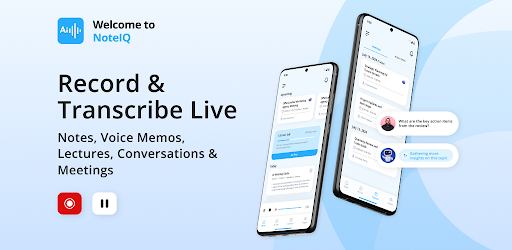
Screenshots


App Description
AI meeting note taker & automated summarizer, transcribe audio and voice memos
NoteIQ Transcribe Voice Notes :The Ultimate AI-Driven Voice-to-Text App and Productivity Solution
Say goodbye to manual note-taking in Team meetings! NoteIQ uses AI to handle it all—recording audio, taking notes, creating voice memos, capturing slides, and generating voice-to-text summaries. Summarize a 1-hour meeting in 30 seconds!
Key Features of NoteIQ Transcribe Voice Notes :
✴ AI Assistant: NoteIQ Transcribe Voice Notes Your AI voice translator assistant for streamlined workflows and note taker. Generate AI summaries, draft emails, and convert voice memos into text for seamless transcript management and interaction.
✴ AI Chat: Engage directly with your transcripts. Ask questions, gather key information, and get summaries—all through an easy-to-use chat interface designed to boost efficiency and save time.
✴ AI Voice Notes: Convert voice recordings into text effortlessly with AI-driven voice translator. Convert your voice notes into clear, organized text, saving time and keeping your notes perfectly structured.
✴ Convert Voice Notes to Text: Effortlessly transcribe voice to text with exceptional accuracy. Supports all mp3 formats—ideal for voice memos, meetings, lectures, interviews, and more.
✴ Take Notes with Voice: Capture lectures, note taker, ideas, or any spoken content using transcribe voice to text built-in audio recorder. Easily convert voice into text and use AI chat to explore recordings and transcripts, simplifying the process of extracting key insights.
✴ Import and Transcribe: Effortlessly upload audio files for smooth transcription. NoteIQ Transcribe Voice Notes supports multiple formats, making it perfect for a wide range of use cases.
Why Choose NoteIQ Transcribe Voice Notes?
⚙ Save Time and Enhance Efficiency: Transcribe voice to text AI-powered features, such as the AI assistant, AI chat, and voice memo transcription, streamline your workflow by automating note-taking and transcription tasks. This allows you to focus on more critical activities while the AI manages the details.
⚙ Format Flexibility: Whether you're transcribing voice notes, note taker , converting audio to text, or transcribing video content, NoteIQ transcribe voice to text provides a complete solution in one easy-to-use application.
⚙ Flexible and Affordable Plans: Begin with our free plan, which offers 100 minutes of transcription and access to features like AI chat and AI summaries. For more extensive use, our paid plans start at $90 Annually for the premium subscription, providing 1200 minutes of transcription per month, unlimited imports per month and 100% ads free experience.
⚙ Secure and Private: NoteIQ transcribe voice to text prioritizes your data security and privacy, guaranteeing that your information is safely stored and never shared with third parties.
Requirements:
🔸 Android 9.0 or higher
🔸 Active internet connection for transcription
🔸 Account registration needed (Must)
To improve the quality of audio-to-text transcription, minimize background noise as it can interfere with accuracy. Record in a quiet indoor environment and clean up your audio before transcribing to ensure clearer, more accurate results. Have any questions or suggestions? Feel free to contact us at support@soapsuds.io
Coming soon: Record Zoom, Microsoft teams, and other online meetings