Hello Card Dialer


Hello Card Dialer Summary
Hello Card Dialer is a ad-supported Android app in Communication by Allvins. Released in Sep 2014 (11 years ago). It has about 1.4M+ installs and 5.2K ratings with a 3.95★ (average) average. Based on AppGoblin estimates, it reaches roughly 2.6K monthly active users and generates around $<10K monthly revenue (0% IAP / 100% ads). Store metadata: updated Jan 17, 2025.
Recent activity: 266 installs this week (856 over 4 weeks) showing below average growth , and -1 new ratings this week View trends →
Store info: Last updated on Google Play on Jan 17, 2025 .
3.95★
Ratings: 5.2K
Screenshots

App Description
Make calls easily with Hello Card Dialer App in UAE
Hello Card Dialer application will help you to make international calls using Hello Card in UAE.
Just buy Hello Card from grocery and save in hello card dialer. Now you can call easily. Your call history will be saved in your mobile. you can able to clear also.
User can customize the Call Confirmation, IVR Language and Destination Country.
User can Enter a Phone Number with isd code and press call to make calls. (00 [isd code]
[phone number])
User can select a contact from contact list by clicking the contact icon on the screen.
Screens :
Call:
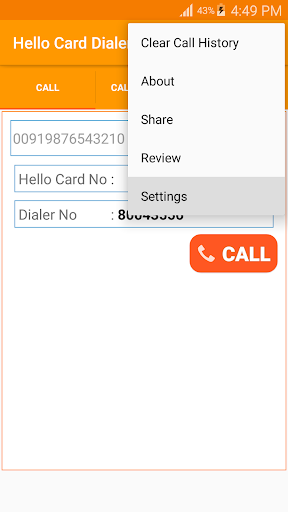
1. Type the phone number and Dial (phone number should be 00 format. for example 0091987654321)
2. Click the contact icon to select a contact
3. press call to make a call
Call History
1. You can make calls from the call history Screen. Click on the call log to Make a Call
2. Click the star icon to make the phone number as Favourite Number
3. if you want to clear the log, tap the menu button and press Clear Call History
Favorite
1. You can make calls from the Favourites Screen. Click on the number to Make a Call
2. you can remove the number from favourites using delete button
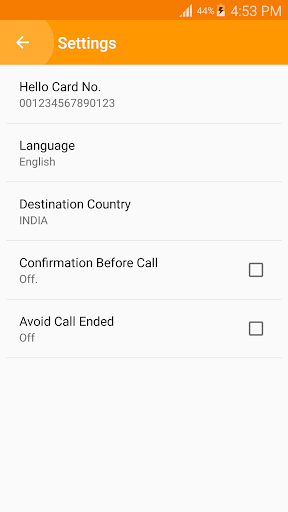
Settings (select from menu)
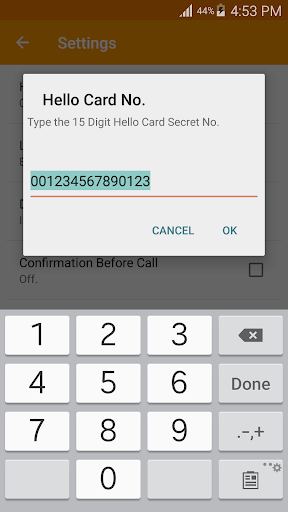
1. Hello Card Pin Number
2. Language Selection
3. Country Selection
4. Confirm Before Call - Enable if you want to confirm the mobile number
5. Avoid Call Ended - Enable if you are facing call ended problem
Steps:
1. Enter the Mobile Number / select from contacts
2. Press Call Button
3. Phone call screen will open
4. Call will be connected to the call center
5. Language will be entered automatically based on you language preference
6. UAE Hello Calling Card secret number will entered by system
7. Now you can hear the balance information in you preferred language
8. Now your Destination number will entered by system
9. Now you can hear the balance minutes for that destination number(country)
10. If the Call-centre tells incorrect international number means, end the call, try one more time. it will work.
Note :
* Hello Card Number stored in your device only. We won’t allow others to read it.
* Make sure you are entering correct secret code from Hello Card.
* Hello Card Dialer will store your Hello Calling Card Number in application,
if you are doing uninstall or update, the