Secured Notes


Secured Notes Summary
Secured Notes is a mobile Android app in Productivity by Pramoda S. Released in Mar 2018 (7 years ago). It has about 7.3K+ installs and 63 ratings with a 4.00★ (good) average. Based on AppGoblin estimates, it reaches roughly 309 monthly active users . Store metadata: updated Nov 19, 2025.
Recent activity: 8.00 installs this week (40 over 4 weeks) showing steady growth , and 1.00 new ratings this week View trends →
Store info: Last updated on Google Play on Nov 19, 2025 .
4★
Ratings: 63
Screenshots

App Description
Securely store notes, contacts, passwords, and other private info
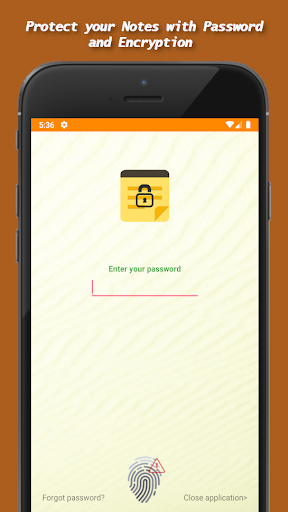
This app allows you to securely store personal notes, passwords, bank details, contacts, and any other confidential information. All data is hidden from unauthorized access and protected by a password.
Key Features:
• Simple and Easy to Use: Just set up a password and start adding your secret notes.
• Ad-Free: The free version contains no ads.
• Google Drive Auto Backup: Automatically backs up encrypted notes to your Google Drive, secured by your Google Account credentials.
• Backup & Restore:
o Take a backup of your notes anytime.
o Transfer backups to another device and restore easily.
o All backups are encrypted for security.
• Cross-Device Restore: Restore your saved notes on any device.
• Multiple Sharing Options: Share your notes securely through various methods.
Advantages:
1. Extremely user-friendly.
2. All notes are securely protected and accessible only to you.
3. Built-in search functionality.
4. Automatic lock when idle or after a set time.
5. Biometric/Fingerprint authentication support.
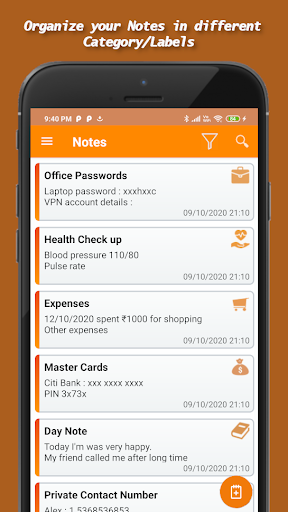
6. Organize notes into categories/labels.
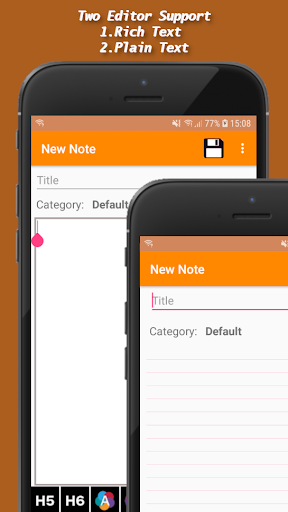
7. Rich text formatting for beautifully composed notes.
8. Advanced search and filter options by category.
9. Google Drive auto backup for peace of mind.
Important Note:
The default password for Secured Notes is 1234. Please change your password upon first login.
Permissions Explained:
1. Identity & Contacts: Required for Google Drive Auto Backup. You need to select a Google account for backup.
2. Photos/Media/Files & Storage: Required for exporting/importing notes backup to/from internal or external storage.
3. Network Access: Required for Google Drive Auto Backup to transfer encrypted files to the cloud.
4. Prevent Device Sleep During Sync: Ensures uninterrupted backup during file transfer to Google Drive.