Inktica - pixel art editor


Inktica - pixel art editor Summary
Inktica - pixel art editor is a with in-app purchases Android app in Art And Design by Arcuilo. Released in Sep 2023 (2 years ago). It has about 59.2K+ installs and 819 ratings with a 4.49★ (good) average. Based on AppGoblin estimates, it reaches roughly 3.8K monthly active users and generates around $<10K monthly revenue (100% IAP / 0% ads). Store metadata: updated Feb 22, 2026, version 133.
Recent activity: 438 installs this week (2.2K over 4 weeks) showing steady growth , and 5.00 new ratings this week View trends →
Data tracking: SDKs and third-party integrations were last analyzed on Jan 7, 2026. The app's network data flows (API traffic to/from the app and its SDKs) were last crawled on Jan 20, 2026.
Store info: Last updated on Google Play on Feb 22, 2026 (version 133).
Inktica - pixel art editor was last scanned for SDKs 2026-01-07. Below is the overview of third party companies detected in the app. The full list of raw SDKs, app permissions and unknown SDKs is available here.
 RevenueCat
 Firebase
 Flutter
 Kotlin
 Google
4.49★
Ratings: 819
Screenshots

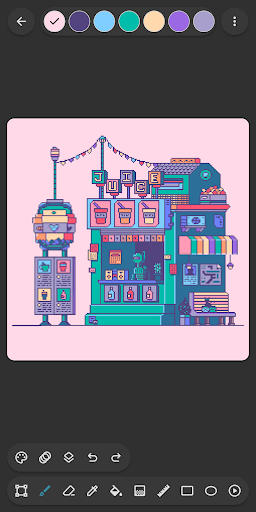


App Description
Create pixel art, animate sprites, and edit game textures with Inktica!
Make pixel art with Inktica - a powerful and simple-to-use pixel art editor. With Inktica, you can create artworks inspired by the low-resolution graphics of early computers and game consoles, or edit textures for games.
Inktica includes powerful tools dedicated to editing images at a pixel level. Available tools for pixel art drawing include Brush, Eraser, Flood-fill, Gradient, Line, Rectangle, Ellipse, and Pipette. These tools have options dedicated to pixel art, such as the brush "pixel perfect" algorithm for drawing exact single-pixel-wide lines.
With the selection tool of Inktica, you can copy, cut, move, and paste parts of your drawing or texture. Selections can also be rotated or flipped before pasting.
Inktica supports layers, which you can use to organize your pixel art drawing and make editing specific parts easier.
You can bring your sprites to life with animation tools. When creating pixel animations, you can use the onion skin option to easily compare the currently edited frame to the previous frame.
Drawings in Inktica can use color palettes from popular classic consoles such as the Atari 2600, NES, or Game Boy. You can also import beautiful color palettes from Lospec.
While drawing, you can use a reference image opened from the gallery to quickly compare your drawing with a source image.
When your drawing is finished, you can share it on social media or export it to storage on your devices. The exported image can be upscaled to avoid blurriness when viewed on non-pixel-art-related platforms.
With Inktica, you can also edit pixel art created with other tools. Inktica supports importing Aseprite drawings (.ase, .aseprite), as well as popular image formats (.png, .jpeg, .gif, etc.).
Art in screenshots by Pikurā
Privacy policy: https://inktica.com/privacy-policy.html
Terms of use: https://inktica.com/terms-of-use.html