Pixel art and texture editor


Pixel art and texture editor Summary
Pixel art and texture editor is a mobile Android app in Art And Design by Arcuilo. Released in Dec 2020 (5 years ago). It has about 102+ installs Based on AppGoblin estimates, it reaches roughly 9.00 monthly active users . Store metadata: updated Aug 30, 2024.
Recent activity: 2.00 installs this week (10 over 4 weeks) showing exceptional growth View trends →
Store info: Last updated on Google Play on Aug 30, 2024 .
0★
Ratings: 0
Screenshots

App Description
An ad-free version of the standard Pixel art and texture editor.
An ad-free version of the standard Pixel art and texture editor.
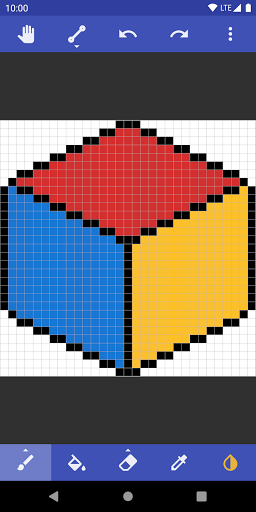
Pixel art editor using which you can edit graphics at a pixel level. It can be used to create beautiful 8-bit console styled artwork, edit game textures, design patterns for computer graphics, and cross-stitching.
Use cases:
• Artists - you can create artwork inspired by the low-resolution graphics of early game consoles.
• Game designers - the app can be used to create and edit game textures for games with style relating to 8-bit game console consoles 80s and 90s such as Atari 2600, NES, and Gameboy color.
• Game modders - useful for creating and editing texture packs and player skins for game mods. It can be useful for creating mods for games such as Minecraft and Terraria.
• Craftspeople - you easily design patterns and images for cross-stitching.
Key features:
• Large canvas size
• Import of upscaled images
• Easy sharing on social media with upscaling
• Gestures support for scrolling and zooming
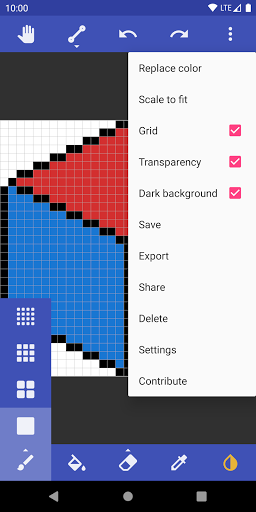
• Grid with three modes no grid, single-pixel, and eight-pixel grid
• Export to device storage with upscaling
• Brush with multiple sizes
• Line with variable thickness
• Flood fill
• Color Picker
• Undo
• Redo
• Eraser
• Pipette