MotoCross VR dirtbikes


MotoCross VR dirtbikes Summary
MotoCross VR dirtbikes is a ad-supported, with in-app purchases Android app in the Racing category, developed by meravr. First released 4 years ago(Oct 2021), the app has accumulated 12.2K+ total installs
Recent activity: 51 installs this week (195 over 4 weeks) showing steady growth View trends →
Store info: Last updated on Google Play on Oct 24, 2025 .
0★
Ratings: 0
Screenshots

App Description
Motocross off road racing
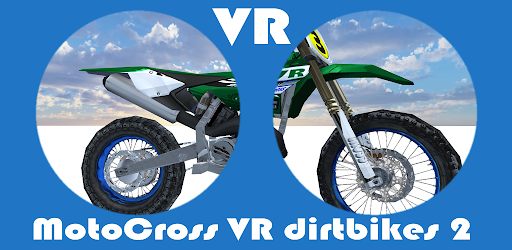
First person VR 360 Game Fun Motocross Simulator. Choose your favorite bike, and race on the Motocross dirt track.
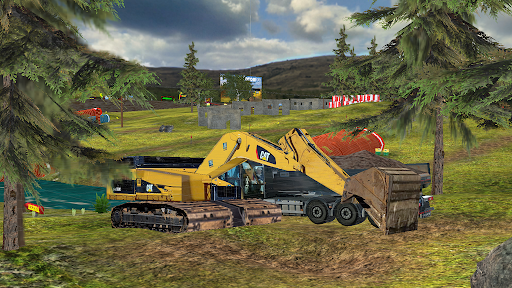
Drive as fast as you can, and make some nice jumps, but watch up for the earth moving construction machines.
Multiplayer game. Choose your Avatar, and play with your friends over WiFi.
NEW: Bird Avatar for those who prefer stable movements. Choose first person, or third person view in VR, and more VR-settings for customizing the experience.
BONUS! Makes you aware of your own posture when playing in 3rd person mode, to help mitigate tech neck.
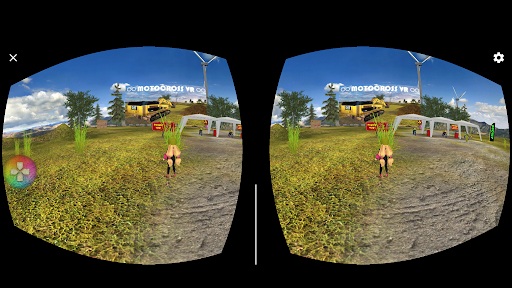
Use Google Cardboard or compatible Plastic VR headset in VR mode, or play the game in 3D mode without headset. This game is designed for Accelerometer input, and GYRO controls, and it can also be played using touch controls on devices without Gyro.
Use an optional Game Controller to move your avatar with input from a joystick instead of using the gyro. Apply som forward input to activate the Game Controller. The B - button will jump, and the A - button will disable the joystick, and resume to standard controls.
TIPS FOR VR BEGINNERS
Move your head to control your character.
Use your eyes to look around, instead of moving your head to much, to minimize the risk for motion sickness that some may suffer from otherwise.
Hit the ”visit cards” left from the horses. It can also loosen upp some tensions that otherwise may lead to nausea for beginners.
For playing the game in VR, a device with a fast processor, and 8 cores is highly recommended.
Visit our web site for more tips for best experience when playing this game in VR: https://www.meravr.com/tips-for-vr/
IMPORTANT!
Remember, you can’t get hurt in the virtual reality world, but watch your steps in the real world. Keep a safe distance to In Real Life things you might trip over, or break, like chairs, tables, stairs, windows, or fragile vases.
Note about system requirements.
This app needs some free memory to run smoothly.
If the device internal memory are full, please move photos, and apps to the external SD card for best performance. You can also try to clear the app data, and app cache to improve the performance.