Matematyka Alexa - klasa V

Matematyka Alexa - klasa V Summary
Matematyka Alexa - klasa V is a mobile Android app in Education by AxelMihal. Released in Mar 2020 (5 years ago). It has about 37+ installs Based on AppGoblin estimates, it reaches roughly 1.00 monthly active users . Store metadata: updated Jul 15, 2025.
Store info: Last updated on Google Play on Jul 15, 2025 .
0★
Ratings: 0
Screenshots

App Description
Addition, subtraction, multiplication and division of numbers up to 1000 and fractions
The application is designed both for students who can repeat maths from the V-class program and teachers who can be used to check students' knowledge during distance learning. This can be achieved thanks to the "Exam Mode", from which students could send screenshots of results to teachers to confirm that a given number of activities from a given area has been processed.
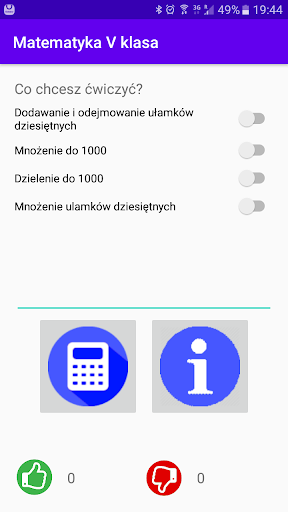
The application allows you to repeat mathematics knowledge for the fifth basic class in the area of:
1) Addition and subtraction of decimal fractions
2) Multiply whole numbers to 1000
3) Total division up to 1000
4) Multiplication of decimal fractions
5) Multiplication of fractions by 10, 100 and 1000
6) Division of decimals
To start repetition (with "Exam Mode" turned off):
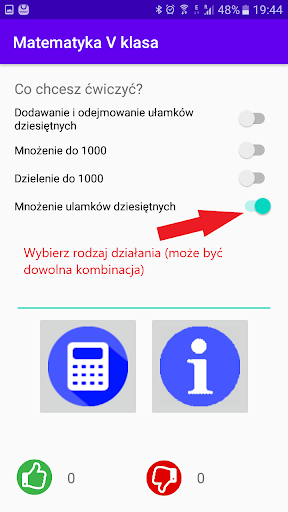
1) Choose which areas you want to practice. You can choose any number of topics. When there will be more than one area, the application will draw tasks from the topics you selected.
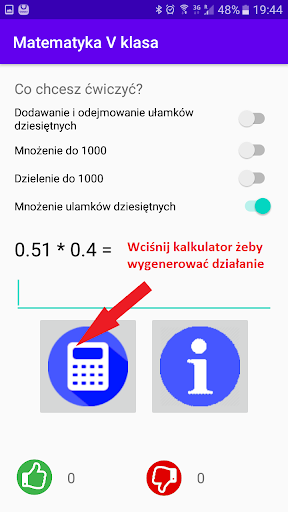
2) Press the "calculator" button to generate the action.
3) Enter the answer and press the "calculator" button again to check the result. You will see whether the answer was correct or not and the correct counter will be increased.
4) You can also use the hint ("button" and "). Then the correct result will be shown, but in this case your answer will no longer be counted.
You can also work with the application in "Exam Mode":
1) When entering and leaving the "Exam Mode" results are zeroed
2) In "Exam Mode" only the "calculator" button is available, which checks the given result and generates the next task
3) All responses are counted
4) You cannot change the scope of questions. "Exam mode" always randomizes questions from the ranges selected before enabling this mode
5) If you want to change the scope of knowledge you are checking out of, exit the "Exam Mode", change the question area and enter the mode again. WARNING! The results of the previous exam will be zeroed. Finally you start a new exam.
You can also check your knowledge of the basics of mathematics such as the multiplication table and the division table.
Axel Mih wish you lots of fun and knowledge in mathematics.
Good luck!