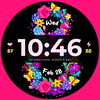
International Women's Day

ASO Keyword Dashboard
Tracking 135 keywords for International Women's Day in Google Play
International Women's Day tracks 135 keywords (no keywords rank yet; 135 need traction). Key metrics: opportunity 70.3, difficulty 49.4.
We Celebrate You!
Tracked keywords
135
0 ranked • 135 not ranking yet
Top 10 coverage
—
Best rank — • Latest leader —
Avg opportunity
70.3
Top keyword: api
Avg difficulty
49.4
Lower scores indicate easier wins
Opportunity leaders
- 66.0
api
Opportunity: 74.0 • Difficulty: 42.9 • Rank —
Competitors: 357
- 65.8
box
Opportunity: 74.0 • Difficulty: 44.2 • Rank —
Competitors: 817
- 65.6
celebrate
Opportunity: 74.0 • Difficulty: 42.1 • Rank —
Competitors: 456
- 61.2
tested
Opportunity: 74.0 • Difficulty: 40.2 • Rank —
Competitors: 402
- 62.2
hr
Opportunity: 74.0 • Difficulty: 38.0 • Rank —
Competitors: 112
Unranked opportunities
api
Opportunity: 74.0 • Difficulty: 42.9 • Competitors: 357
box
Opportunity: 74.0 • Difficulty: 44.2 • Competitors: 817
celebrate
Opportunity: 74.0 • Difficulty: 42.1 • Competitors: 456
tested
Opportunity: 74.0 • Difficulty: 40.2 • Competitors: 402
hr
Opportunity: 74.0 • Difficulty: 38.0 • Competitors: 112
High competition keywords
time
Total apps: 383,838 • Major competitors: 16,146
Latest rank: — • Difficulty: 58.5
new
Total apps: 368,391 • Major competitors: 21,386
Latest rank: — • Difficulty: 59.8
download
Total apps: 335,671 • Major competitors: 15,884
Latest rank: — • Difficulty: 56.9
make
Total apps: 326,938 • Major competitors: 18,173
Latest rank: — • Difficulty: 58.8
find
Total apps: 307,226 • Major competitors: 16,297
Latest rank: — • Difficulty: 59.7
All tracked keywords
Includes opportunity, difficulty, rankings and competitor benchmarks
| Major Competitors | |||||||
|---|---|---|---|---|---|---|---|
| download | 65 | 100 | 57 | 88 335,671 competing apps Median installs: 1,669 Avg rating: 2.0 | — | — | 15,884 major competitor apps |
| play | 66 | 100 | 62 | 85 207,001 competing apps Median installs: 6,220 Avg rating: 2.3 | — | — | 18,536 major competitor apps |
| new | 65 | 100 | 60 | 89 368,391 competing apps Median installs: 2,544 Avg rating: 2.1 | — | — | 21,386 major competitor apps |
| change | 68 | 100 | 53 | 79 90,507 competing apps Median installs: 3,514 Avg rating: 2.2 | — | — | 5,882 major competitor apps |
| single | 69 | 100 | 52 | 78 75,133 competing apps Median installs: 1,819 Avg rating: 2.0 | — | — | 3,982 major competitor apps |
| device | 68 | 100 | 63 | 80 108,013 competing apps Median installs: 2,605 Avg rating: 2.1 | — | — | 6,164 major competitor apps |
| make | 65 | 100 | 59 | 88 326,938 competing apps Median installs: 2,042 Avg rating: 2.1 | — | — | 18,173 major competitor apps |
| phone | 67 | 100 | 62 | 83 152,409 competing apps Median installs: 2,624 Avg rating: 2.1 | — | — | 8,543 major competitor apps |
| connected | 69 | 100 | 51 | 78 74,158 competing apps Median installs: 551 Avg rating: 1.8 | — | — | 2,176 major competitor apps |
| step | 69 | 100 | 51 | 78 83,989 competing apps Median installs: 1,246 Avg rating: 1.9 | — | — | 3,816 major competitor apps |
| within | 68 | 100 | 52 | 80 102,646 competing apps Median installs: 1,276 Avg rating: 1.9 | — | — | 3,668 major competitor apps |
| digital | 68 | 100 | 52 | 81 124,596 competing apps Median installs: 778 Avg rating: 1.8 | — | — | 4,268 major competitor apps |
| wear | 71 | 100 | 63 | 72 32,641 competing apps Median installs: 359 Avg rating: 1.6 | — | — | 811 major competitor apps |
| date | 68 | 100 | 53 | 79 93,248 competing apps Median installs: 699 Avg rating: 1.8 | — | — | 2,731 major competitor apps |
| wear os | 72 | 100 | 61 | 70 24,333 competing apps Median installs: 294 Avg rating: 1.5 | — | — | 289 major competitor apps |
| team | 69 | 100 | 53 | 79 85,624 competing apps Median installs: 1,274 Avg rating: 2.0 | — | — | 3,957 major competitor apps |
| using | 66 | 100 | 58 | 85 221,622 competing apps Median installs: 2,286 Avg rating: 2.0 | — | — | 10,931 major competitor apps |
| find | 65 | 100 | 60 | 87 307,226 competing apps Median installs: 2,265 Avg rating: 2.1 | — | — | 16,297 major competitor apps |
| time | 64 | 100 | 58 | 89 383,838 competing apps Median installs: 1,258 Avg rating: 2.0 | — | — | 16,146 major competitor apps |
| available | 66 | 100 | 60 | 84 199,984 competing apps Median installs: 2,015 Avg rating: 2.1 | — | — | 9,731 major competitor apps |
| api | 74 | 100 | 43 | 66 14,026 competing apps Median installs: 410 Avg rating: 1.8 | — | — | 357 major competitor apps |
| rate | 70 | 100 | 48 | 75 50,252 competing apps Median installs: 2,148 Avg rating: 1.9 | — | — | 2,055 major competitor apps |
| swipe | 72 | 100 | 51 | 69 22,442 competing apps Median installs: 3,321 Avg rating: 2.2 | — | — | 1,525 major competitor apps |
| help | 65 | 100 | 60 | 87 282,191 competing apps Median installs: 1,658 Avg rating: 2.1 | — | — | 14,390 major competitor apps |
| touch | 69 | 100 | 53 | 76 63,133 competing apps Median installs: 1,599 Avg rating: 2.1 | — | — | 3,389 major competitor apps |
App Description
We Celebrate You!
Our watch face apps are thoroughly tested in a real device (Galaxy Watch 4) and are "reviewed and approved" by the Google Play Store Team before publishing them.
⚠️⚠️⚠️ Before you rate us unfairly, reach us out at bloomfieldwatchfaces@gmail.com and we will send you sceeenshots and instructions how to install the watchface. We are more than willing to help you step by step.
TAKE NOTE❗️❗️❗️
1️⃣ Watchfaces automatically install on watch. (There will be a download icon on screen while installing)
2️⃣ MAKE SURE THE WATCH IS STRONGLY CONNECTED TO YOUR PHONE USING THE SAME WIFI. MUST ALSO LOG IN TO YOUR GOOGLE ACCOUNT "ON WATCH" FOR SEAMLESS INSTALLATION.
3️⃣ After download, WAIT for a few minutes for the watchface to be transferred on watch. (There will be a notification on your watch if the watchface was successfully transferred.)
4️⃣ If incase there is no notification, Go to PLAYSTORE ON YOUR WATCH and type on the SEARCH BOX "womens day"
5️⃣ The watchface will show up, then hit on install button.
⭐️ Watchfaces don't automatically change after successful installion. Go back to home display. Tap and hold display, swipe until the end and tap + to add the watchface. Rotate Bezel to find the watchface.
📍Please see Feature Graphics for more details how to install.
⭐️ALLOW / ENABLE all permissions from settings -> applications -> permissions.
⚠️ Refund is ONLY allowed within 48 hours.
📍This watch face was developed with Samsung's "Watch Face Studio" tool for devices based on the new Wear OS Google / One UI Samsung operating system like Samsung Galaxy Watch 4.
📍WEAR OS API Llevel 30+ devices are supported.
📍FEATURES:
-12/24hr Digital Time (auto-sync, based on phone settings)
-Date (Multi-language)
-Always-On (AOD)
-Preset App Shortcuts (Single tap to open/ fixed not editable)
-Changeable LCD styles and font color palette (Touch and hold display. Tap on customize option. See feature graphics for tutorial)
📍Some features may not be available on some watches.
Full Collection: https://play.google.com/store/apps/developer?id=Bloomfield+Watchfaces
Contact us at: bloomfieldwatchfaces@gmail.com
Facebook Page: https://www.facebook.com/bloomfieldwatchfaces
Youtube Installation Tutorial: https://www.youtube.com/watch?v=vMM4Q2-rqoM