Smart Pedometer: walKing

Smart Pedometer: walKing Summary
Smart Pedometer: walKing is a ad-supported Android app in Health And Fitness by Blue Jay Factory. Released in Feb 2017 (9 years ago). It has about 178.7K+ installs and 488 ratings with a 4.31★ (good) average. Based on AppGoblin estimates, it reaches roughly 7.6K monthly active users and generates around $<10K monthly revenue (0% IAP / 100% ads). Store metadata: updated Feb 6, 2026.
Recent activity: 11 installs this week (65 over 4 weeks) showing steady growth View trends →
Store info: Last updated on Google Play on Feb 6, 2026 .
4.31★
Ratings: 488
Screenshots

App Description
Let's walk with walKing. Pedometer, walKing helps you remember a healthy day.
● Manual Mode
- Be sure to 'STOP' when you finish walking to prevent unnecessary power consumption.
● Automatic Mode
- After installation, if you run only once this app, walk (including running) will be automatically detected.
- The movement by a car or bicycle is not measured.
- It works only when walking, so battery consumption is low. (Optimize for battery life)
- All you need to do is carry around smart phone!
- Please start once this app!
- Once you have updated to the new version, please run it once.
● Supports the latest Android and smart phones well.
● Reduces eye fatigue.
● Brag about today's step and this month's rankings.
- You can also brag about past records. (Daily, Monthly)
● Analytics.
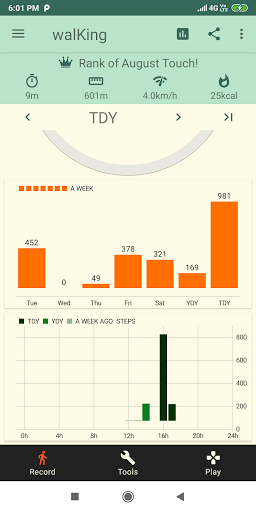
- The best, lowest record and average.
- Can be compared to the record of a week ago or 4 weeks ago.
- You can view your records with moving averages (7 days, 30 days).
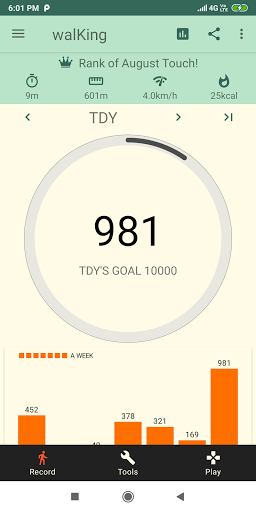
● Step, calories, distance and time are recorded.
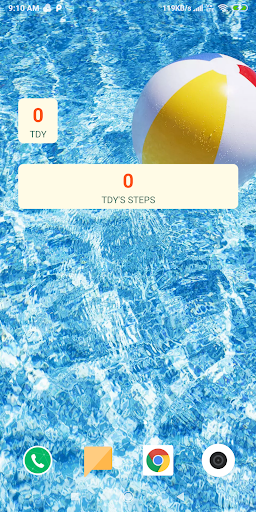
● The widget is available on the Home screen.
● If you set your own weight, you can see more accurate calories burned.
● You can save and view records such as 'Blood Sugar', 'Weight' and 'Blood Pressure'. You can find it by going to the bottom menu 'Health'.
● You can easily and simply experience the AR (Augmented Reality) function. You can find it in 'Tools'.
● When you need 'Magnifier' and 'Compass', you can use it easily in 'Tools'
● Plays that can wake the sleeping brain are prepared in the 'Play'.
● When changing devices, you can use Backup-Restore to keep the record.
- Supports Google Auto Backup, but please backup in case.
- Be sure to back up your device before changing it!
- It's easy to save backups to Google Drive or other cloud.
● Google Play Game
- Achieve achievements.
- You can compete rankings with other users.
● Open Source License
- MPAndroidChart (https://github.com/PhilJay/MPAndroidChart)
- Glide (https://github.com/bumptech/glide)