Yuzu eReader


Yuzu eReader Summary
Yuzu eReader is a mobile Android app in Education by Barnes & Noble College. Released in May 2016 (9 years ago). It has about 284.2K+ installs and 881 ratings with a 3.58★ (average) average. Based on AppGoblin estimates, it reaches roughly 4.6K monthly active users . Store metadata: updated Oct 1, 2025.
Recent activity: 230 installs this week (1.6K over 4 weeks) showing steady growth View trends →
Data tracking: SDKs and third-party integrations were last analyzed on Jan 16, 2025.
Store info: Last updated on Google Play on Oct 1, 2025 .
Yuzu eReader was last scanned for SDKs 2025-01-16. Below is the overview of third party companies detected in the app. The full list of raw SDKs, app permissions and unknown SDKs is available here.
 Bumptech
 Kotlin
 ReactiveX
 Airbnb Engineering
 Firebase
3.58★
Ratings: 881
Screenshots


App Description
Yuzu by Barnes & Noble lets you learn, read, and interact with digital content.
Enhance your learning experience with Yuzu® by Barnes & Noble. Yuzu is a learning platform that lets you read and interact with digital content.
BENEFITS OF eTEXTBOOKS ON YUZU
Interactive Learning - eTextbooks can include videos and other multimedia content and links to related websites, to make the learning experience richer and more engaging.
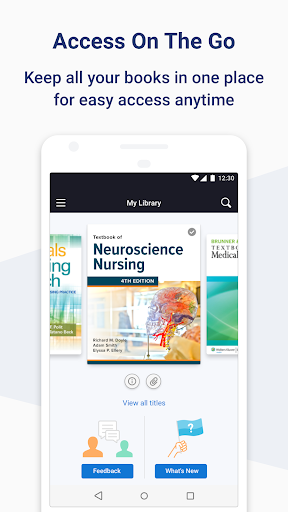
Travel Lighter - Replace multiple textbooks with one app where you can access your course materials from a single, beautifully organized interface.
Read On-the-Go - With course materials always at your fingertips, you can read and study wherever you are. Highlights, notes, and bookmarks automatically sync across all of your devices.
Study Smarter - You can highlight and add notes to your eTextbooks. Plus, you can easily adjust the layout, font size, and zoom to make reading easier.
Simple Navigation - Search key words and phrases throughout all of your digital content and quickly jump to a location by typing a page number.
Features
* Create highlights, notes, and bookmarks. Your changes are automatically saved and made available to all of your apps.
* Search for keywords or phrases or figures.
* Navigate using the Table of Contents.
* Jump to a location by page number.
* Zoom fixed format content or adjust the layout and fonts with reflowable content.
* Download your digital content for later reading and adding notes while offline