Video Downloader for KW


Video Downloader for KW Summary
Video Downloader for KW is a ad-supported, with in-app purchases Android app in the Tools category, developed by AppOpenAI. First released 2 years ago(Dec 2023), the app has accumulated 134.8K+ total installs
Store info: Last updated on Google Play on Aug 22, 2024 .
0★
Ratings: 0
Screenshots

App Description
watermark remover, Download videos without watermark
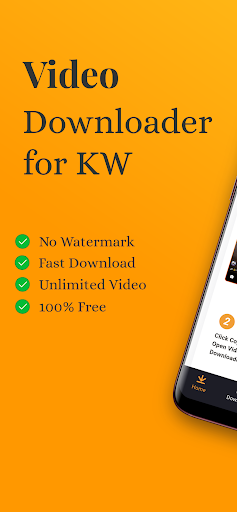
If you're seeking to download KW videos without watermark, Video Downloader for KW - No watermark is your best choice. It's completely free, ensuring super-fast downloads at the highest quality. Simply copy or share the video link you wish to download, and your download will start automatically.
Main Features:
Supports all HD video downloads: Download various video types (video, audio, live wallpapers…).
Download videos without watermark: Automatically removes KW video watermarks.
Fast Video Downloader: Experience lightning-fast download speeds within 2 seconds.
Auto-Download Support: Copy a KW video URL/Link, open Video Downloader for KW, and the download will start automatically.
No login required: No registration or account needed, ensuring 100% secure, worry-free downloads without personal information leaks.
Save videos: Downloads are automatically saved to the phone album.
Watch Offline: Enjoy downloaded videos even without an internet connection.
Multiple Languages: Video Downloader for KW - No watermark supports multiple languages for better accessibility.
Share: Effortlessly share videos via Email, WhatsApp, with friends, classmates, or colleagues.
Free: Video Downloader for KW - No watermark is entirely free, supported by minimal ads to aid development.
Video Downloader for KW simplifies saving videos without watermarks in easy steps.
Using Video Downloader for KW to download videos:
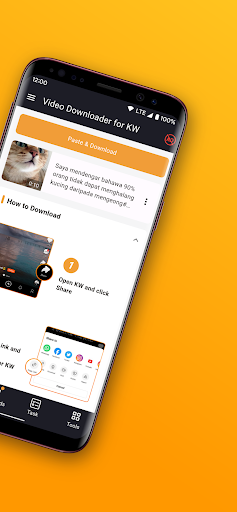
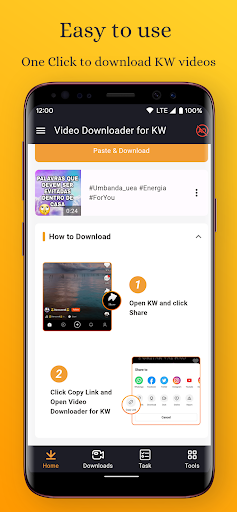
Method One: Use ‘Copy Link’ to download video
Step 1: Open KW app and click "Copy Link" for the video you wish to download.
Step 2: Open Video Downloader for KW - No watermark.
Step 3: Automatically detects the copied video for download.
Method Two: Use ‘Share Link’ to download video
Step 1: Open the KW/Snack app and click "Share Link" for the desired video.
Step 2: Select Video Downloader for KW - No watermark.
Step 3: Automatically detects the shared video for download.
Where are downloaded videos stored?
All downloaded videos are saved in your "Downloaded list" or your phone gallery.
Disclaimer:
*Video Downloader for KW is an independent tool and not affiliated with KW/Snack.
The rights and interests of videos, photos, music on the KW/Snack platform belong to their respective publishers or owners.
*We uphold copyright integrity. Please refrain from downloading or reposting videos and media clips without permission.
*Use