TV Cast Mirror Screen

TV Cast Mirror Screen Summary
TV Cast Mirror Screen is a with in-app purchases Android app in Video Players by D-apps Studio. Released in Mar 2021 (4 years ago). It has about 333.3K+ installs and 442 ratings with a 3.88★ (average) average. Based on AppGoblin estimates, it reaches roughly 19.3K monthly active users and generates around $<10K monthly revenue (100% IAP / 0% ads). Store metadata: updated Jan 24, 2026, version 52.
Data tracking: SDKs and third-party integrations were last analyzed on Mar 3, 2026. The app's network data flows (API traffic to/from the app and its SDKs) were last crawled on Dec 31, 2025.
Store info: Last updated on Google Play on Jan 24, 2026 (version 52).
TV Cast Mirror Screen was last scanned for SDKs 2026-03-03. Below is the overview of third party companies detected in the app. The full list of raw SDKs, app permissions and unknown SDKs is available here.
 Microsoft
 Airbnb Engineering
 Greenrobot
 Google
 AdMob
AdMob Firebase
3.88★
Ratings: 442
Screenshots


App Description
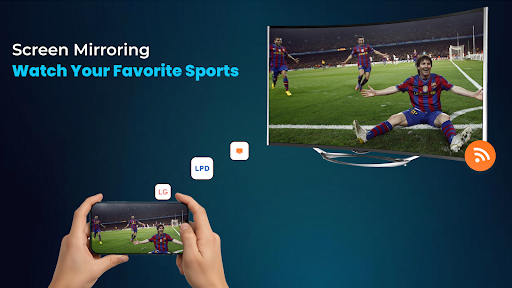
Screen mirroring cast to TV app helps you to cast phone and tablet to TV easily.
Looking for the best way to cast to TV and mirror your screen from your Android phone?
Our powerful
Cast to TV: Mirror Screen
makes it easy to share your phone screen, videos, photos, and more with your smart TV in real-time.
Whether you want to enjoy movies, stream your favorite content, or play mobile games on the big screen,
our app makes it effortless. This is the ultimate Stream Cast to TV solution!
With just a few taps, you can use our
Cast to TV Screen Mirroring
feature to instantly connect to Chromecast, Roku, Fire TV, Xbox, Smart TVs, and other DLNA devices.
No wires. No hassle.
Top Features:
- One-tap TV casting from your Android phone
- Seamless screen mirroring to all major smart TVs
- Stream movies, web videos, and music directly to your TV
- Mirror games, presentations, and apps
- Fast and stable screen mirroring connection
- Full HD quality with low latency
- Compatible with Chromecast, Roku, Samsung, LG, Fire TV, and more smart TVs
Whether you're binge-watching shows or sharing family photos, this
Cast to TV: Mirror Screen
offers smooth and clear streaming on a bigger screen.
How to Use:
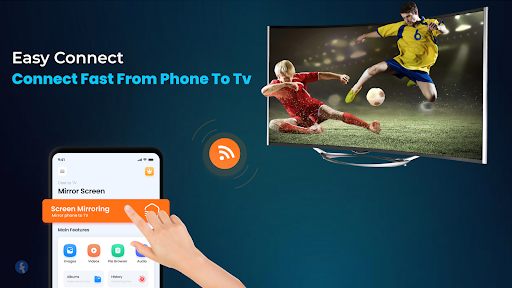
- Make sure your TV and phone are connected to the same Wi-Fi network
- Open the app and tap “Connect”
- Select your device
- Start casting with our screen mirroring technology!
Download now
Cast to TV: Mirror Screen
and turn your phone into a powerful TV casting tool.
Enjoy the future of home entertainment with our reliable Cast to TV and Screen Mirroring app.
Disclaimer:
This Cast to TV app is not affiliated with or endorsed by any brand.