WiFi Tethering: Share Internet

WiFi Tethering: Share Internet Summary
WiFi Tethering: Share Internet is a ad-supported, with in-app purchases Android app in Tools by Catchy Tools. Released in Aug 2021 (4 years ago). It has about 271.1K+ installs and 712 ratings with a 3.33★ (mixed) average. Based on AppGoblin estimates, it reaches roughly 12.6K monthly active users and generates around $<10K monthly revenue (36% IAP / 64% ads). Store metadata: updated Mar 10, 2025.
Recent activity: 570 installs this week (3.4K over 4 weeks) showing above average growth , and -2 new ratings this week View trends →
Store info: Last updated on Google Play on Mar 10, 2025 .
3.33★
Ratings: 712
Screenshots

App Description
Share your internet connection using WiFi & Bluetooth tethering.
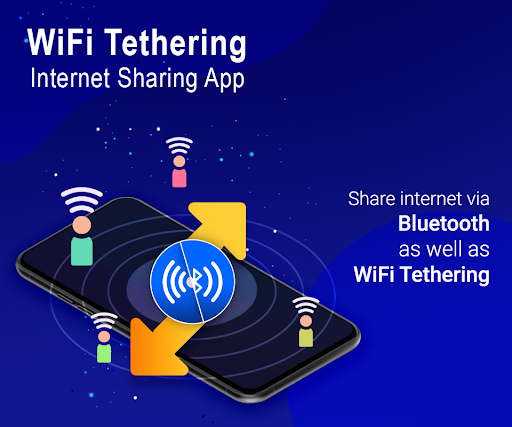
Connect Internet on other devices with your Bluetooth Tethering or Wi-Fi Tethering. It helps you to share your internet connection wireless on multiple devices. No cables required.
App Main Features :
- Share your internet connection using Bluetooth & WiFi Tethering.
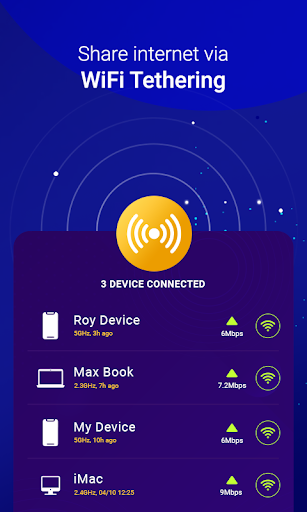
- Using this app you can easily connect and manage multiple connections.
- Connect wireless and share internet on multiple devices.
How to use Bluetooth Tethering using this app :
- Click on Bluetooth Tethering.
- Turn on Bluetooth Tethering.
- Do Not turn off Bluetooth, it disable Bluetooth Tethering.
- On other devices connect internet through Bluetooth Tethering.
- Select your device and start sharing internet.
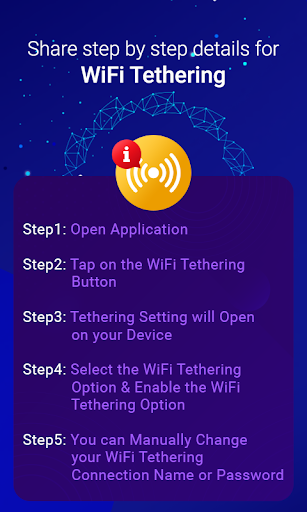
How to use WiFi Tethering using this app :
- Click on WiFi Tethering.
- Turn on WiFi Tethering.
- On other devices connect internet through WiFi Tethering.
- You can manually change your WiFi tethering connection name or password.
- Select your device and start sharing internet.
It easy to share your internet connection on multiple devices using Bluetooth Tethering or WiFi Tethering.