Signature Maker : Esign App

Signature Maker : Esign App Summary
Signature Maker : Esign App is a ad-supported, with in-app purchases Android app in Productivity by CC Publisher. Released in Jul 2025 (7 months ago). It has about 9.5K+ installs Based on AppGoblin estimates, it reaches roughly 945 monthly active users and generates around $<10K monthly revenue (63% IAP / 37% ads). Store metadata: updated Jul 11, 2025.
Recent activity: 165 installs this week (1.1K over 4 weeks) showing steady growth View trends →
Store info: Last updated on Google Play on Jul 11, 2025 .
0★
Ratings: 0
Screenshots

App Description
Electronic signature creator & signature maker helps you Sign pdf documents fast
Forget the hassle of printing, scanning, and complicated document sign processes! In this signature creator app, you can sign pdf documents in just a few clicks with an electronic signature.
Just tap or click to the doc signature maker with your finger. Easily scan signature with signature scanner feature or add your old pdf signature, dates, and any other text to your document and instantly create a signed PDF that's ready to share or store.
No more paperwork, no more delays, this signature generator app provides you a quick and secure pdf sign at your fingertips for signing documents. You can also make signature by name using our pdf signer app.
This esign app provides the user with the easiest way to sign a document without the need of any physical paper and pen. Electronic signature creator app gives you all the features you need to sign documents.
Key Features of e signature maker & autograph editor App
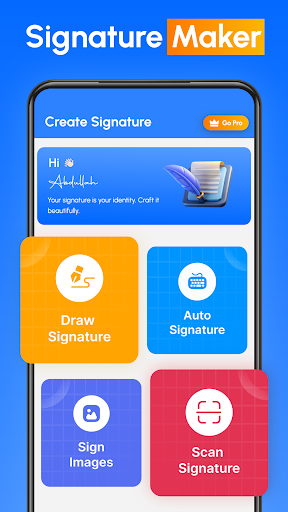
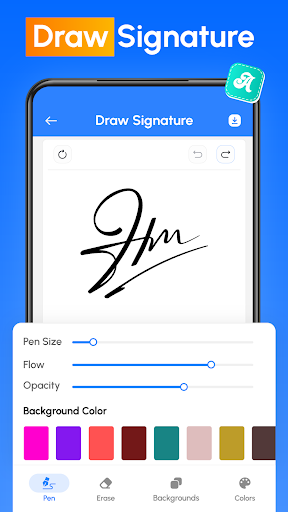
◉ Create handwritten pdf signature with this sign maker app.
◉ Scan signature directly from your device camera in e signature app.
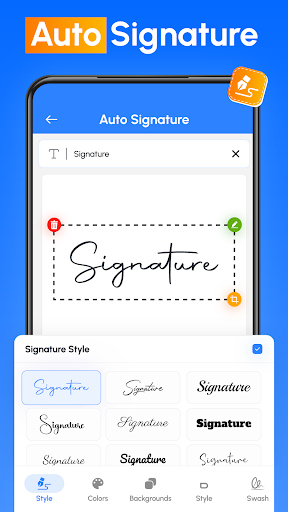
◉ Auto add signature to photo by just entering your name in the text box provided in document signer app.
◉ Customise your signature with unique backgrounds to make it more enhanced.
◉ Adjust colour, size, rotation and style to design the perfect pdf digital signature with this signature generator.
◉ Save your official signature to reuse in multiple Documents.
Simplify your workflow with the Electronic signature creator app by reusing commonly used signatures or text. Customise your signature text for quick access.
See How Signature Maker & document signing app Works to Simplify Your Life
✔ Import documents from your device with this pdf signer app.
✔ Add a signature to your given document.
✔ Save files after signing documents and share them wherever you want with this esignature app.
This signature scanner and esign app saves your valuable time. It's also very useful for users who want to sign pdf documents quickly. Want to build your own pdf signature, this is the ideal solution for anyone who needs a reliable e-signature creator. Apart from this, this easy sign app also allows you to reuse your old signature.
Our Benefits
◉ Create your name in style and sign it in your personal or professional document with signature generator tool.
◉ In this sign maker app, Sign your official contracts with just a single tap on your mobile screen.
◉ Create your own pdf sign without the need for pen or paper Just scan, fill out any form and send quickly to others.
◉ Transfer files to multiple recipients in a variety of ways.
◉ The electronic signature maker app gives you the flexibility to share your completed files when needed.
◉ Invites Your Families, Friends or colleagues to sign a document in seconds through this signature creator & document signer app.
Close your important deals with the easiest and fastest signature scanner process. Get things done quickly with this sign maker app, so you can focus on what matters most.
From personal autographs to professional document sign, The e signature app offers everything you need. You can also import the related image of your signature into a PDF or document file using the Electronic signature maker.