CCSWE App Manager (Device Owne


CCSWE App Manager (Device Owne Summary
CCSWE App Manager (Device Owne is a mobile Android app in Tools by Cory Charlton. Released in Feb 2021 (5 years ago). It has about 6.7K+ installs and 230 ratings with a 4.14★ (good) average. Based on AppGoblin estimates, it reaches roughly 142 monthly active users . Store metadata: updated Aug 30, 2025.
Recent activity: 4.00 installs this week (9.00 over 4 weeks) showing below average growth View trends →
Store info: Last updated on Google Play on Aug 30, 2025 .
4.14★
Ratings: 230
Screenshots


App Description
CCSWE App Manager is the ultimate package disabler and bloatware killer!
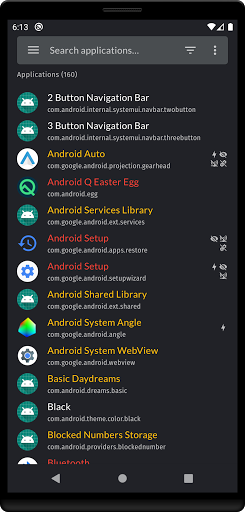
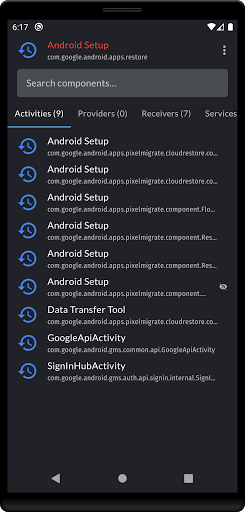
CCSWE App Manager was designed for users who want disable applications and packages to improve performance. It also allows you to hide icons for applications they do not use without uninstalling the entire application. You can also hide icons for stock system applications which will allow you to continue to receive system updates while saving space in your application drawer.
★★ Does not require root ★★
How to activate device owner
1) Remove all Google accounts from your device under the Android Settings -> Accounts
2) Go to Android Settings on your device and enable "USB Debugging"
3) Connect your device to the PC with USB cable and open CMD prompt and run this command
adb shell dpm set-device-owner com.ccswe.appmanager.deviceowner/com.ccswe.appmanager.receivers.DeviceAdminReceiver
4) Re-add your Google accounts
NOTE: More detailed instructions and a helper application for Windows can be found at this link: https://ccswe.com/ccswe-app-manager/device-owner/
Contact appmanager@ccswe.com if you have any issues. We are more than happy to offer any help we can but cannot do anything if you simply give us a low rating instead of contacting us.
★★ Features ★★
★ Clear data for any application
★ Export and import package lists
★ Home screen widget
★ Favorites list
★ Freeze (disable) applications
★ Password protection
★ Uninstall applications
★★ Frequently asked questions ★★
★ Why does CCSWE App Manager (Device Owner) require device owner privileges?
Unfortunately the Android security model does not make it possible for one application to enable/disable another application. This makes sense for standard applications because you wouldn't want a competing application to be able to disable yours. That is why CCSWE App Manager requires device owner privileges in order to achieve this.