双机对战中国象棋


双机对战中国象棋 Summary
双机对战中国象棋 is a ad-supported Android app in Board by CYZ SOFT. Released in Sep 2021 (4 years ago). Store metadata: updated Mar 27, 2022.
Store info: Last updated on Google Play on Mar 27, 2022 .
0★
Ratings:
Screenshots

App Description
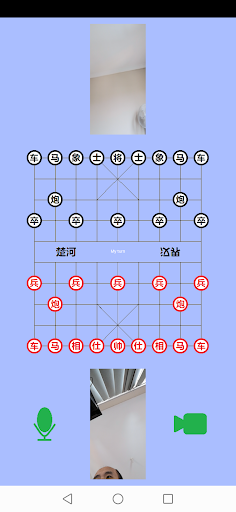
This is a dual-player Chinese chess game with voice and video dialogue function developed by MFP language. This game requires two players, each using different Android devices but running the same software. No central server is required to play this game.
This is a dual-player Chinese chess game with voice and video dialogue function developed by MFP language. This game requires two players, each using different Android devices but running the same software. There is no need for a central server to play this game. Two Android devices communicate point-to-point via TCPIP protocol or WebRTC protocol based on email addresses.
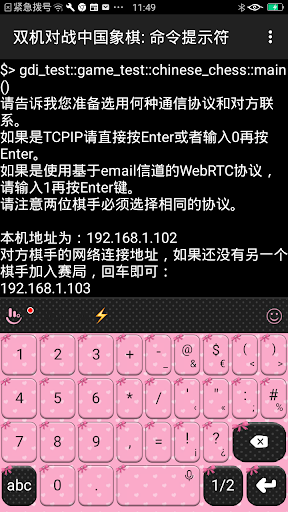
If the TCPIP protocol is used, it does not matter if there is a NAT layer between the two devices. But if there is a NAT layer, you must ensure that the server-side device starts the game first. The IP address of the machine will be displayed when the game starts. The player who starts the game first must tell the other party the IP address of the machine, and then the player who starts the game enters the IP address of the first player to connect. If the connection is successful, the game will start.
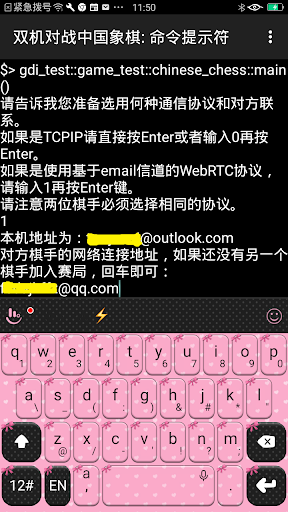
If you use the WebRTC protocol based on email addresses for point-to-point communication, you can achieve long-distance (thousands of kilometers) chess battles. The process of starting the game is similar to using the TCPIP protocol. After the first player starts, wait for the second player to start and enter the email address of the first player to connect. If the connection is successful, the game will start. But one thing is different from using the TCPIP protocol. The first time you use the WebRTC protocol for peer-to-peer communication, you need to set the e-mail address of the machine. You need to enter your email address and password when setting up (note that this password is the password used when sending and receiving emails with SMTP and IMAP protocols, and it is not necessarily the same as the password used to log in to the web page for email checking). If you are using Microsoft Outlook mailbox, Tencent QQ mailbox, Yahoo mailbox or Google gmail mailbox, you do not need to enter other information, otherwise you need to enter smtp and imap server information.
If the user is using Microsoft Outlook mailbox, you don't need to do too many settings, you can use it after entering the email address and password. But it should be noted that if users frequently start games or switch mobile networks, Microsoft's outlook server may think that users are sending spam and will prevent users from sending and receiving emails. In this case, the user will receive an email requesting verification of the account. Users need to log in to the Outlook mailbox on Microsoft Online, follow the prompts to confirm that they are doing it, and then they can continue to use the Outlook mailbox;
If the u