EasyCanvas -Graphic tablet App


EasyCanvas -Graphic tablet App Summary
EasyCanvas -Graphic tablet App is a with in-app purchases Android app in Productivity by easynlight. Released in Jan 2022 (4 years ago). It has about 69.9K+ installs and 176 ratings with a 2.85★ (poor) average. Based on AppGoblin estimates, it reaches roughly 3.9K monthly active users and generates around $<10K monthly revenue (100% IAP / 0% ads). Store metadata: updated Dec 1, 2025.
Recent activity: 391 installs this week (1.8K over 4 weeks) showing steady growth , and 1.00 new ratings this week View trends →
Store info: Last updated on Google Play on Dec 1, 2025 .
2.85★
Ratings: 176
Screenshots


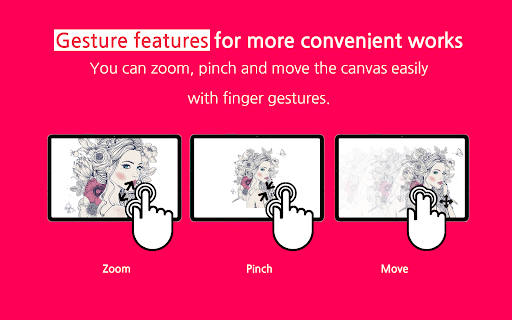
App Description
You can use your tablet as a liquid crystal tablet or dual monitor.
EasyCanvas, Turn your tablet into a liquid crystal tablet!
EasyCanvas is an app that lets you use your tablet as a liquid crystal tablet.
Draw directly in PC programs such as Photoshop and Clip Studio through your tablet.
▶ Excellent performance of Galaxy Tab and S Pen
Now, if you have a Galaxy Tab and S Pen, you don't need to buy an expensive LCD tablet.
The excellent hardware of the Galaxy Tab is combined with the technology of EasyCanvas to make the perfect LCD tablet.
▶ Familiarize yourself with drawing on paper
It fully supports "Palm Rejection", which allows you to draw with your palm on the screen, and "Pen Pressure" and "Tilt" of the S Pen.
Also, the 120Hz refresh rate makes the screen and stylus movement smoother.
▶ Independent Virtual Display Solution
Easy&Light's virtual display solution provides extended display. It can be used as an extended monitor in triple or higher environments as well as a dual monitor.
▶ Simultaneous wired/wireless connection support
It supports both stable USB connection and convenient wireless connection via Wi-Fi.
Now work anywhere, anytime, any way you want.
Pay after you experience it for yourself!
We provide a trial function that you can use for free for 3 days.
[Support Environment]
PC: Windows 10 or later (WDDM version 2.0 or later)
Tablet: Galaxy Tab S3, S4, S6, S6 Lite, S7, S7+, S7 FE
Support :
https://easynlight.oqupie.com/portal/2247/request
Privacy policy :
http://www.easynlight.com/easycanvaspolicy/