5G/4G LTE Force

5G/4G LTE Force Summary
5G/4G LTE Force is a ad-supported, with in-app purchases Android app in Tools by Dilip Master Apps. Released in Apr 2020 (5 years ago). It has about 381.9K+ installs and 2.5K ratings with a 4.23★ (good) average. Based on AppGoblin estimates, it reaches roughly 16.2K monthly active users and generates around $<10K monthly revenue (93% IAP / 7% ads). Store metadata: updated Dec 7, 2024.
Recent activity: 563 installs this week (1.3K over 4 weeks) showing steady growth , and 2.00 new ratings this week View trends →
Store info: Last updated on Google Play on Dec 7, 2024 .
4.23★
Ratings: 2.5K
Screenshots

App Description
This functionality shall be available on phones only if it supports 5G or 4G.
Switch your device into 5G/4G LTE mode only. With this app you can convert your network to 5G/4G mode only for faster Internet speed. This can be done only if your phone supports 5G or 4G network.
This app help you to switch into 5G/4G network (LET network), WCDMA network, GSM network, CDMA network just in one click.
Open a hidden Settings menu where advanced network configurations can be selected.
Features:
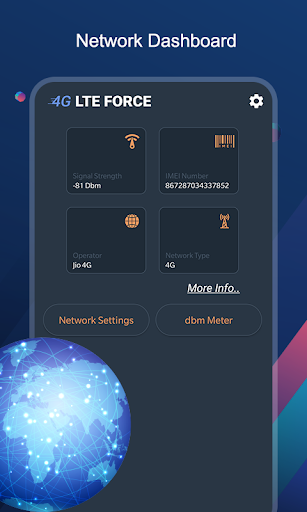
- This app helps you to find and search for 5G/4G LTE signal.
- Enable VoLTE on supported device.
- Advanced network statistics.
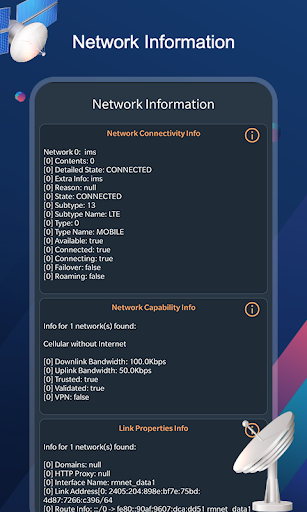
- Advanced network information like Network Connectivity info, Network Capability info & Link Properties info.
- Advanced Network configurations.
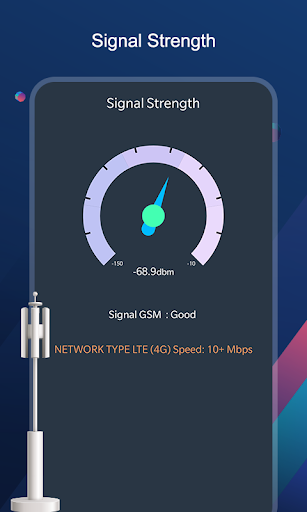
- Get Signal Strength in graph.
How to Use :
Step1 - open 4G LTE Force app.
Step2 - click on SIM LTE|3g|2G Settings button to switch 4g mode.
Step3 - Find the Option check "Set preferred network type".
Step4 - Click on LTE ONLY.
Disclaimer : This 5G/4G LTE Force app won't work on all device as some device restrict the force switching mode.