ONEFFICE for OmniEsol


ONEFFICE for OmniEsol Summary
ONEFFICE for OmniEsol is a Android app in the Productivity category, developed by Douzone. First released 1 year ago(Aug 2024), the app has accumulated 472+ total installs
Recent activity: 129 installs this week (393 over 4 weeks) showing exceptional growth View trends →
Store info: Last updated on Google Play on Aug 1, 2024 .
0★
Ratings:
Screenshots


App Description
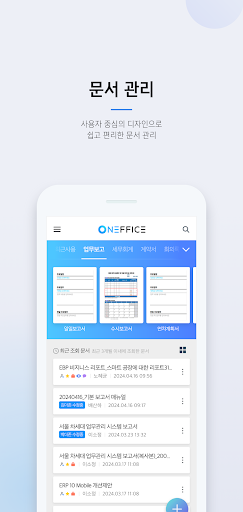
Create, manage, and share corporate documents all at once! Experience innovation in document processing with ONEFFICE for OmniEsol
* ONEFFICE for OmniEsol is supported on ‘Android 8.0’ or higher.
1. Summary introduction
Create, manage, and share corporate documents all at once! Experience innovation in document work with OmniEsol ONEFFICE for OmniEsol.
2. Main contents
ONEFFICE, an innovative document processing solution for businesses!
This dedicated corporate office improves work productivity and provides efficient collaboration.
Through perfect integration with groupware, you can easily and conveniently create, manage, and share documents anytime, anywhere.
[main function]
1. View document
- You can easily view personal/shared documents anytime, anywhere.
2. Edit document
- You can create a new document or modify an existing document.
3. Document template
- You can easily create meeting minutes, business reports, reports, etc. using the document templates needed for your work.
4. Security settings
- You can safely store and share important documents by setting a password.
5. Document history
- You can check document history, including document creation, viewing, editing, and sharing.
6.Share
- With One-Piece Connect, you can easily share documents and grant read/edit permission to organization members.
7. Work report
- You can easily write business reports anytime, anywhere and combine the reports you receive.
===Notice of access rights when installing app===
[Essential access rights]
-Terminal information authority: Access to device information, such as sending the device’s unique ID when logging in for device authentication
-Storage space permission: Save and load various files on SD card
[Optional access rights]
-Address book permission: Use contact information from the device
-Camera permission: Take and insert photos and videos
*You can use the service even if you do not agree to granting optional access rights.