Signature Lock Unlock Screen


Signature Lock Unlock Screen Summary
Signature Lock Unlock Screen is a ad-supported, with in-app purchases Android app in Tools by DS & DS. Released in Mar 2023 (2 years ago). Store metadata: updated Dec 13, 2025.
Store info: Last updated on Google Play on Dec 13, 2025 .
0★
Ratings:
Screenshots

App Description
Get new style of screen lock just draw signature & open the screen by this app.
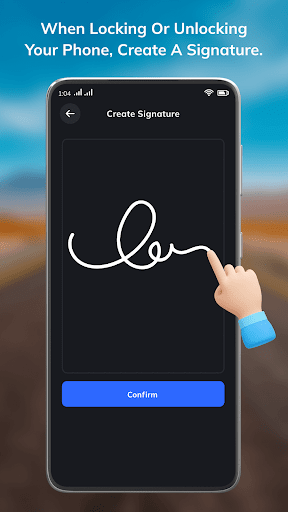
Signature lock through you get new style of screen lock just draw your signature and open the screen.
Signature Lock: Signature also called as gesture lock, just draw anything like any number, letter, whole signature of yours but without picking your fingers when you draw for signature lock.
Features of signature Lock:
- When you create the signature first fill the security questions.
- These security question feature will come in handy when you forget signature password.
- When you will fill the security question then create the signature password without pick your finger.
- And then just start the service of signature lock app for seen these signature lock in your device lock screen.
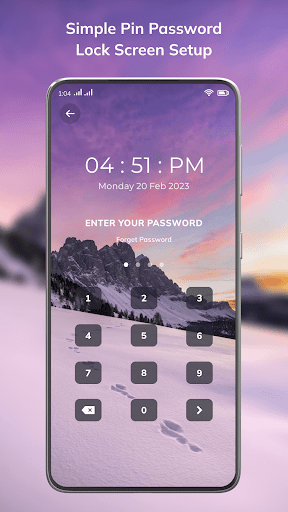
- Also set the pin lock if any chances your touch is not working or any other reason the signature will not work at that time pin lock will be helpful to open your lock.
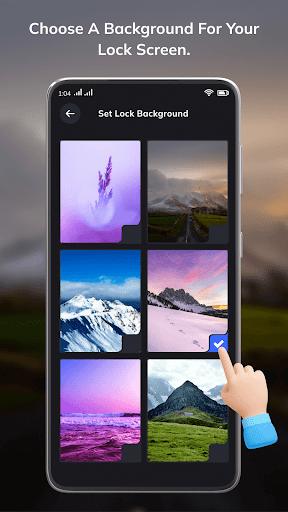
- Set the wallpaper just tap on set wallpaper and choose the wallpaper and you can see in signature lock background.
- In signature lock there is clock style you can choose different type of clock style for your lock screen.
- If you want to change the security password very easily just give your signature password and then change the signature.
- You can also change your signature password very easily just give the current signature password and then change the signature.
- Also change the thickness of signature stroke.
- Also change the color of signature stroke.
- Just make sure when you create your signature then start the service for use these app for lock screen.
Thank you.