الأذان و أوقات الصلاة امريكا


الأذان و أوقات الصلاة امريكا Summary
الأذان و أوقات الصلاة امريكا is a ad-supported Android app in Books And Reference by B2TELECOM. Released in Dec 2020 (5 years ago). It has about 20.4K+ installs and 252 ratings with a 4.68★ (excellent) average. Based on AppGoblin estimates, it reaches roughly 2.1K monthly active users and generates around $<10K monthly revenue (0% IAP / 100% ads). Store metadata: updated Feb 4, 2026.
Recent activity: 34 installs this week (626 over 4 weeks) showing steady growth View trends →
Store info: Last updated on Google Play on Feb 4, 2026 .
4.68★
Ratings: 252
Screenshots


App Description
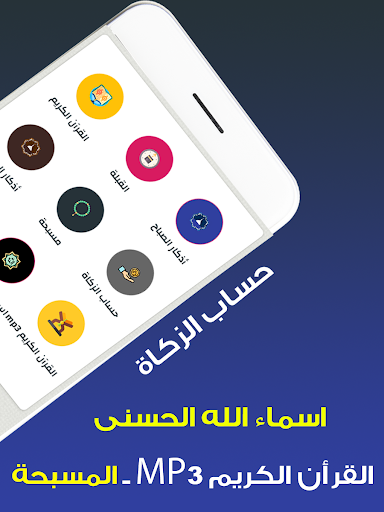
Adhan and prayer times, reading and listening to the Holy Quran, morning and evening dhikr, the Qibla
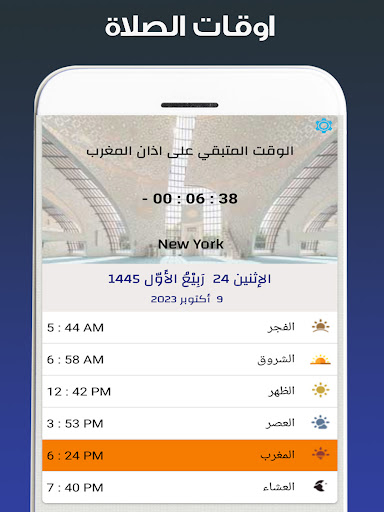
The call to prayer and prayer times in America is an application for prayer times and the call to prayer in America in addition to the Holy Quran, the Qibla, and the dhikr.
Features of the Athan and Prayer Times application in America:
Prayer times without internet
The call to prayer with the ability to activate or cancel it, as well as the ability to choose the muezzin
The Holy Qur’an is written with the ability to remind the reading in the registered sign and at the time you choose
Listening to the Holy Qur’an in the voices of different reciters, about 50 reciters, with the possibility of downloading to listen to it without the Internet.
Morning and evening remembrances, with the possibility of changing the time of notification of the remembrances
The rosary with the ability to activate or deactivate the tasbih
Zakat calculation
God Names
Qiblah
...
note:
For phones running
Android 10 and above
Azan sound and notification permission must be granted -> To grant permission go to Azan settings then activate or deactivate Azan, you will have a pop-up window to grant permission, click Yes, you will see a new window to grant permission, so activate the permission and click on the back button