USAPL Scoring App


USAPL Scoring App Summary
USAPL Scoring App is a mobile Android app in Sports by FargoRate. Released in May 2017 (8 years ago). It has about 15.7K+ installs and 58 ratings with a 2.88★ (poor) average. Based on AppGoblin estimates, it reaches roughly 717 monthly active users . Store metadata: updated Oct 31, 2024.
Recent activity: 53 installs this week (164 over 4 weeks) showing below average growth View trends →
Store info: Last updated on Google Play on Oct 31, 2024 .
2.88★
Ratings: 58
Screenshots


App Description
Official USAPL Scoring App. No paper, no printing, and no math on league night!
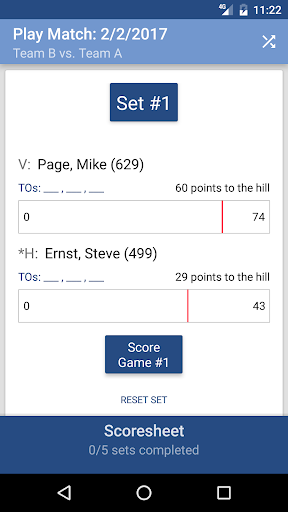
This is the official USAPL Scoring App of the USAPL league and allows members to score league matches and instantly submit them to the League Management System. No paper, no printing, and no math on league night!
Benefits
• Easy to use
• Saves time
• Eliminates printing score sheets
• Calculate scores
• Results post immediately
• Low lighting no longer a problem
• Reduces errors
Features:
• Generates races automatically
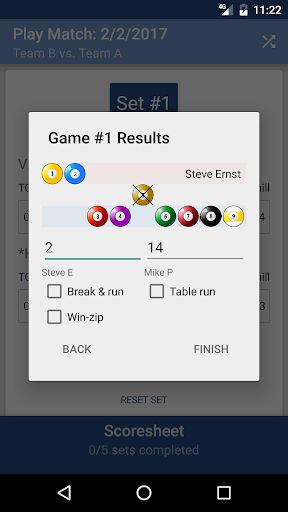
• Scores 8-ball, 9-ball and 10-ball
• Supports long and short races
• Alert when a player is “on the hill”
• Easily edit previously scored games and sets
• Timeout countdown and tracking
• Shows whose turn to break
• Calculates margin of victory and penalty points
• Calculates the “win-scenario” after the last set is determined so teams know what must be done to win the match
• Ability to handoff match for scoring
• Player ratings pull directly from FargoRate
• Ability to award BR, TR, WZ and WF
How to Use:
Login in by entering your CSI Membership Number and password. Then select your match and follow the prompts.
Tips & Tricks For Easy Use:
• In 8-ball, tap winner’s name to score 14 points
• Double-tap dead balls and an X appears
• In 9-ball or 10-ball, use a flicking motion to move balls instead of sliding
• Click the Set # to edit previous games
• On the set page, place your finger on the blue Scoresheet bar and slide it up to see the Match Scoring screen
• Tap team name in Match Scoring to switch between teams
• Do not forget to click Submit Scoresheet after all matches are complete