Arabic alphabet for beginners


Arabic alphabet for beginners Summary
Arabic alphabet for beginners is a with in-app purchases Android app in Education by Nur Team. Released in Sep 2016 (9 years ago). It has about 1.3M+ installs and 8.9K ratings with a 4.79★ (excellent) average. Based on AppGoblin estimates, it reaches roughly 25.5K monthly active users and generates around $<10K monthly revenue (100% IAP / 0% ads). Store metadata: updated Apr 22, 2024, version 55.
Recent activity: 3.7K installs this week (20K over 4 weeks) showing above average growth , and 16 new ratings this week View trends →
Data tracking: SDKs and third-party integrations were last analyzed on Feb 14, 2026. The app's network data flows (API traffic to/from the app and its SDKs) were last crawled on Aug 4, 2025.
Store info: Last updated on Google Play on Apr 22, 2024 (version 55).
Arabic alphabet for beginners was last scanned for SDKs 2026-02-14. Below is the overview of third party companies detected in the app. The full list of raw SDKs, app permissions and unknown SDKs is available here.
 Firebase
 Google
4.79★
Ratings: 8.9K
Screenshots


App Description
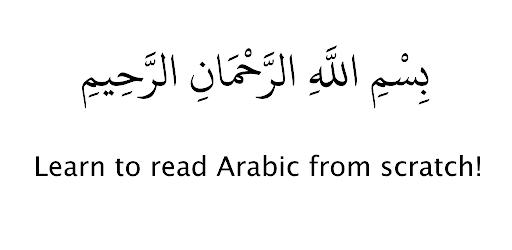
Learn to read Arabic from scratch.
Do you think learning to read Arabic by yourself is hard? Well not anymore!
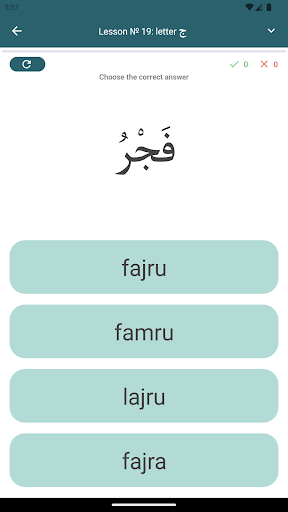
Download our app today and start learning how to read and write Arabic. Begin with learning the alphabet through our interactive course which is divided into 27 lessons. Each lesson focuses on just one letter (except for the first lesson). Each letter is thoroughly studied with descriptions, examples, various forms of application in writing, and also pronunciation. Once you complete all the lessons, you should find yourself easily and effectively capable of reading the Arabic language.
The initial page of the application contains a list of lessons. On each line before the title of the lesson is a circle, showing the test results in percent. In each lesson, there is a test to check the passed material. The application is built on the well-known textbook «Muallim sani" and preserves the order of the letters studied in that textbook (not in alphabetical order-- the alphabet can be viewed only by selecting the menu item "Alphabet").
RECOMMENDATIONS FOR WORKING WITH THE PROGRAM:
To facilitate learning and understanding, the lessons are arranged in increasing complexity, from easy to difficult, so you need to start learning from the first lesson, and as you master the material, move on to the next lesson. First, go through the whole lesson by flipping the buttons below, back and forth, listening to the pronunciation of all the words and, if necessary, looking at the transliteration. Then, turn off the pronunciation and transliteration and read the whole lesson. After reading each word individually, check yourself by clicking on the scoring button (located at the bottom of the screen). After that, pass the test (the button is located on the top right) and, in case of successful passage, go to the next lesson. If difficulties arise, you can go through the lesson, again. Doing this program, you will easily master the Arabic letters and learn to read in Arabic.