Moon Calendar - Moony


Moon Calendar - Moony Summary
Moon Calendar - Moony is a ad-supported, with in-app purchases Android app in Lifestyle by Freckled OG. Released in Apr 2015 (10 years ago). It has about 423.4K+ installs and 5.6K ratings with a 4.68★ (excellent) average. Based on AppGoblin estimates, it reaches roughly 2.5K monthly active users and generates around $<10K monthly revenue (43% IAP / 57% ads). Store metadata: updated Aug 27, 2025, version 163.
Recent activity: 170 installs this week (1.2K over 4 weeks) showing steady growth , and 5.00 new ratings this week View trends →
Data tracking: SDKs and third-party integrations were last analyzed on Feb 22, 2026. The app's network data flows (API traffic to/from the app and its SDKs) were last crawled on Nov 10, 2025.
Store info: Last updated on Google Play on Aug 27, 2025 (version 163).
Moon Calendar - Moony was last scanned for SDKs 2026-02-22. Below is the overview of third party companies detected in the app. The full list of raw SDKs, app permissions and unknown SDKs is available here.
 Google
 Kotlin
 Firebase
 AdMob
AdMob4.68★
Ratings: 5.6K
Screenshots


App Description
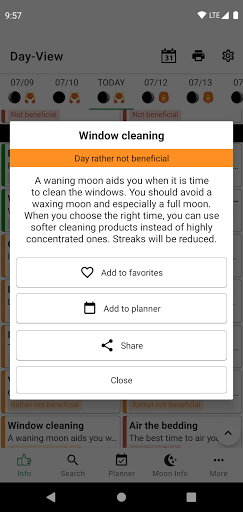
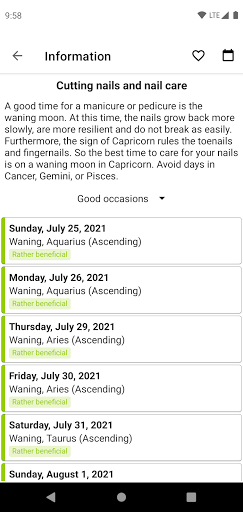
Daily recommendations for you based on to the current moon phase and zodiac sign
Moony is a beneficial guide and reference book for you to live your everyday life in harmony with the moon phases. It shows you the current phase of the moon as well as the current Zodiac sign.
The lunar calendar offers detailed tips and recommendations based on ancient knowledge.
- You would like to know when you should cut or dye your hair?
- You have problems cutting your fruit trees?
- The house cleaning should be as quick as possible?
Moony offers you a well-arranged overview for the desired information!
There are also 3 Widgets available for a quicker overview:
- Basic Overview Widget
- Favorites Widget
- Planner Widget
Customize the app according to your needs. You can:
- choose favorite tasks
- configure a planning calendar
- customize the day view
- disable categories or tasks in which you are not interested
- change the sort order
- choose a custom time for the notifications
Have fun!
Manu and Markus