Bluetooth Radar Trial


Bluetooth Radar Trial Summary
Bluetooth Radar Trial is a ad-supported Android app in Tools by FruitMobile LLC. Released in Feb 2016 (10 years ago). It has about 63.5K+ installs and 316 ratings with a 4.03★ (good) average. Based on AppGoblin estimates, it reaches roughly 327 monthly active users and generates around $<10K monthly revenue (0% IAP / 100% ads). Store metadata: updated Oct 23, 2025.
Recent activity: 87 installs this week (328 over 4 weeks) showing strong growth View trends →
Store info: Last updated on Google Play on Oct 23, 2025 .
4.03★
Ratings: 316
Screenshots

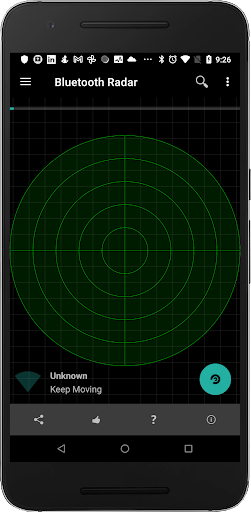
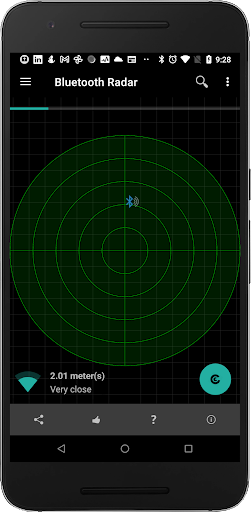
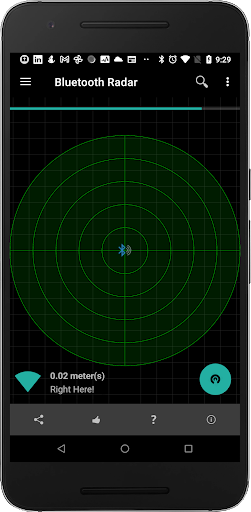
App Description
Track your lost fitness tracker easily on this bluetooth radar.
This is a 35 day trial version.
Why pick Bluetooth smart radar to track your lost accessory?
-----------------------------------------------------------
It's easy to use and it updates the position of the device on the radar every second so that you can see whether you're moving away or towards it.
Fruitmobile 'Bluetooth Radar' is the perfect app to find a lost fitness accessory or simply to find all beacons and bluetooth accessories around you.
No Root required. Permissions other than bluetooth & location are used for Ad display.
Location permission is for finding devices in Android Marshmallow.
Paid version needs only bluetooth permissions & location.
Features:
1. Shows bluetooth smart devices and updates their position on the radar every second.
2. Find a lost bluetooth accessory or any other saved device.
3. Find all beacons around you like EddyStone , iBeacon, or alt beacon.
4. See the URLs advertised by EddyStone beacons.
5. See full details of other types of EddyStone beacons (TLM or Uid).
6. Tap on each device on the radar and get all details about it.
7. Connect to a device and find the services running on it.
8. Save favorite devices so that they can be found later if lost.
====================================
For more details on this app with screenshots go to:
Discover How to Use Bluetooth Radar to Find Lost devices
===========================================
Questions, Suggestions, Feature requests? mail us at support@fruitmobile.com
FAQ
-------
1. Should I save all my devices ?
Ans:
Definitely. This way you can find the device if you misplace it later.
2. I lost my fitbit. How can I find it ?
Ans:
a. Go to menu > Find a Device
b. Pick your device from saved devices list
c. Move around in the room/home where you think you might have misplaced it. If the device is somewhere there it'll show up on the radar. Once it does try moving around till you have the device right in the middle of the radar like the last screenshot.