FullReader – e-book reader

FullReader – e-book reader Summary
FullReader – e-book reader is a ad-supported, with in-app purchases Android app in Books And Reference by ITENSE. Released in Oct 2014 (11 years ago). It has about 3.1M+ installs and 43.8K ratings with a 4.15★ (good) average. Based on AppGoblin estimates, it reaches roughly 12.8K monthly active users and generates around $<10K monthly revenue (38% IAP / 62% ads). Store metadata: updated Sep 22, 2025.
Recent activity: 308 installs this week (2.8K over 4 weeks) showing below average growth , and -4 new ratings this week View trends →
Data tracking: SDKs and third-party integrations were last analyzed on Feb 27, 2025.
Store info: Last updated on Google Play on Sep 22, 2025 .
4.15★
Ratings: 43.8K
Screenshots
App Description
Feature-packed reader. Compatibility with all popular formats for reading!
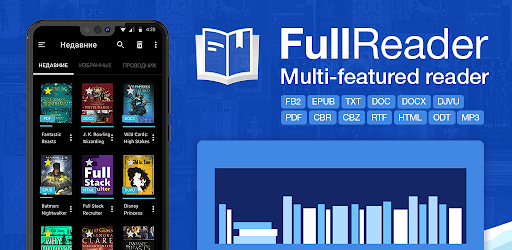
FullReader is a multifunctional e-book reader app. It is suitable for opening PDF and DjVu files, magazines, comics and also for listening to audiobooks and working with documents on smartphones and tablets.
SUPPORTED FORMATS
fb2, ePub, txt, PDF, doc, docx, cbr, cbz, rtf, DjVu, DjV, html, htm, mobi, xps, oxps, odt, rar, zip, 7z, MP3.
CONVENIENT AND STYLISH INTERFACE
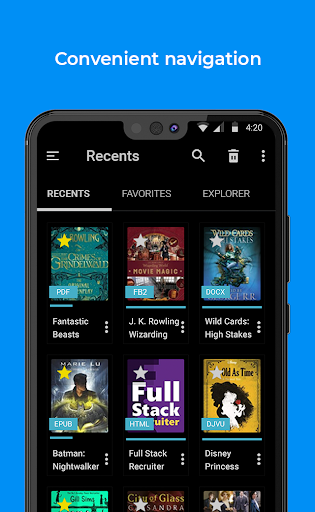
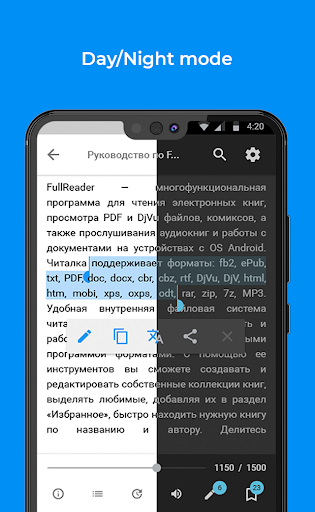
This Android book reader has user-friendly interface with clear navigation and convenient layout of all options and tools. Choose either classic light theme or brand new black theme which is energy efficient for AMOLED displays. Select how to display book covers - in the list or in tiles.
FILE MANAGER
Enjoy convenient Explorer that allows to scan device memory and find all supported file formats, search for books according to various criteria and considering additional parameters and benefit from full-featured toolset for operations with files.
MY LIBRARY
The e-book reader section with convenient and well-structured book sorting according to various criteria. It offers an option to create a list of Favorites and your own personal book Сollections.
CLOUD STORAGES
FullReader offers integration into Google Drive, Dropbox and OneDrive so that you can save storage space on your smartphone or tablet and synch your books between several devices.
OPDS-CATALOGUES
Use this Android book reader to add your favorite online libraries and download necessary books directly without leaving the app!
CUSTOMIZABLE TOOLBAR
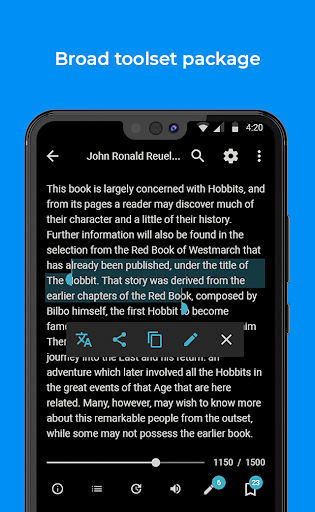
Switch the tools and their position on the toolbar in the reading window according to your needs and preferences.
READING ALOUD
Benefit from this e-book reader option and the variety of customizable parameters: TTS engine, speed and tone of reading, voice and color of highlighting of the currently read text fragment.
BUILT-IN TRANSLATOR
The translator integrated into FullReader supports 95 languages and does not require an installation of any additional dictionaries.
NOTES AND BOOKMARKS
Create colorful notes in the text highlighting the important fragments and make bookmarks on interesting pages! Manage all your notes and bookmarks in the reading window or from a special menu section within the book reader app. All notes are grouped by books and can be exported into the separate d