Gamu: Retro Game Emulator


Gamu: Retro Game Emulator Summary
Gamu: Retro Game Emulator is a free, ad-supported, with in-app purchases Android app in Productivity by Protector & Security for Mobile Ltd. Released in Mar 2024 (2 years ago). It has about 26.7M+ installs and 328K ratings with a 3.98★ (average) average. Based on AppGoblin estimates, it reaches roughly 1.2M monthly active users and generates around $50K+ monthly revenue (53% IAP / 47% ads). Store last updated Oct 7, 2026
Recent activity: 40K installs this week (121K over 4 weeks) showing declining growth , and 135 new ratings this week View trends →
Advertising: AppGoblin detected 1.00 monetized ad creatives shown inside the app.
SDK intelligence: AppGoblin detected 7 ad networks(e.g. Google), 4 development tools, 1 mediation, 1 analytics: product, 1 analytics: attribution,and 1 business tools integrated into Gamu: Retro Game Emulator. View full SDK list →
Data tracking: The app's network data flows (API traffic to/from the app and its SDKs) were last crawled on Sep 4, 2026.
Gamu: Retro Game Emulator SDKs Summary
Gamu: Retro Game Emulator was last scanned for SDKs on 2026-10-03. Below is the overview of third-party companies detected in the app. The full list of SDKs, permissions and unknowns is available here.
Gamu: Retro Game Emulator has 7 Ad Networks SDKs
 Google
 Facebook
 AppLovin
 ByteDance
Gamu: Retro Game Emulator has 4 Development Tools SDKs
 Square
 Kotlin
 Greenrobot
Gamu: Retro Game Emulator has 1 Mediation SDKs
 AdMob
AdMobGamu: Retro Game Emulator has 1 Analytics: Product SDKs
 Firebase
Gamu: Retro Game Emulator has 1 Analytics: Attribution SDKs
 Adjust
Gamu: Retro Game Emulator has 1 Business Tools SDKs
3.98★
Ratings: 328K
Screenshots

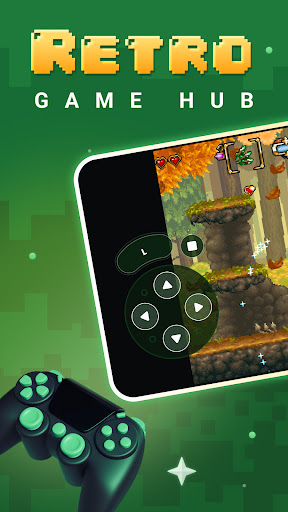


App Description
Play classic retro games on Android. Save states, gamepad & custom controls.
Gamu: Retro Game Emulator brings your retro gaming library to Android. Load your classic game files and enjoy them with modern convenience features — save states, customizable touch controls and gamepad support.
★ Multi-Console Support
Play retro game files from multiple classic consoles in one lightweight app. Supports a wide range of retro formats.
★ Save & Load States
Save your progress at any point during gameplay and resume exactly where you left off. Multiple save slots per game.
★ Custom Touch Controls
Adjust button size, position and opacity for the perfect on-screen layout. Designed for every screen size.
★ Bluetooth & USB Gamepad
Connect your Bluetooth or USB controller for an authentic retro gaming experience on your phone or tablet.
★ Fast-Forward Mode
Speed through slow sections, grind faster and skip cutscenes with adjustable fast-forward speed.
★ CRT & LCD Display Filters
Recreate the look of classic CRT television screens or modern LCD displays for authentic retro visuals.
★ Cheat Code Support
Enter cheat codes to unlock hidden features and enjoy your classic games in new ways.
Gamu is the all-in-one retro game hub for Android gamers who love classic gaming.
⚠ Disclaimer: Gamu does not include any game files. You must provide your own legally acquired game ROMs. This app is not affiliated with any console manufacturer. Downloading copyrighted game files without authorization may be illegal in your country.