GRBL Nothing Nova

GRBL Nothing Nova Summary
GRBL Nothing Nova is a mobile Android app in Personalization by Grubel. Released in Jan 2026 (1 month ago). It has about 48+ installs Based on AppGoblin estimates, it reaches roughly 27 monthly active users . Store metadata: updated Jan 24, 2026.
Recent activity: 24 installs this week (49 over 4 weeks) View trends →
Store info: Last updated on Google Play on Jan 24, 2026 .
0★
Ratings: 0
Screenshots


App Description
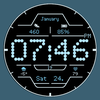
Sleek and bold digital watch face with modern design
Elevate your Wear OS experience with a watch face designed for clarity, style, and utility. Whether you're tracking your day or matching your outfit, this face brings everything you need right to your wrist.
Key Features
- Time Formats: Supports both AM/PM and 12H/24H formats.
- Essential Tracking: Fixed steps counter and real-time battery info.
- Precision: Displays Hour with Seconds for those who count every moment.
- Quick Date: Stay organized with a clear date display.
- Always On Display: Optimized for battery efficiency while keeping your info visible.
- Customization: 2 custom complications to show the data you care about most.
- 15 Color Themes: Swap styles instantly to suit your mood or look.
---
⚠️ IMPORTANT NOTE: The companion app on your phone is a helper tool - it does NOT install the watch face directly. Please follow the installation instructions below for a smooth setup.
---
Installation Guide (Wear OS)
Getting your new watch face up and running is easy if you follow these steps:
Method 1: From the Play Store App
1. Select Your Device: Tap the drop-down menu in the Play Store app and select your WATCH as the target device.
2. Wait & Sync: Give it a few minutes to transfer to your watch.
3. Activate: Long-press your current watch face, swipe all the way to the left, and tap "ADD WATCH FACE" to find and select this one.
Method 2: From the Play Store Website (PC/Mac)
1. Browse: Open your web browser (Chrome, Safari, etc.) and search for the watch face on the Play Store.
2. Install: Click "Install on more devices" and select your watch.
3. Activate: Once the download finishes, long-press your watch screen, swipe left, and tap "ADD WATCH FACE" to activate it.
---
Technical Notes & Support
* Compatibility: Designed for API 34+.
* Pro Tip: If you want to display your phone's battery status on the watch, we recommend installing the "Phone Battery Complication" app.
* We're Here to Help: If you run into any issues, please reach out before leaving a negative review. I’m happy to help you get everything working perfectly!
Email: grubel.watchfaces@gmail.com