Acceleration & Tilt Sensor


Acceleration & Tilt Sensor Summary
Acceleration & Tilt Sensor is a ad-supported, with in-app purchases Android app in Auto And Vehicles by Jisei-firm. Released in Jul 2021 (4 years ago). It has about 421+ installs Based on AppGoblin estimates, it reaches roughly 19 monthly active users and generates around $<10K monthly revenue (53% IAP / 47% ads). Store metadata: updated Jan 19, 2026.
Store info: Last updated on Google Play on Jan 19, 2026 .
0★
Ratings: 0
Screenshots



App Description
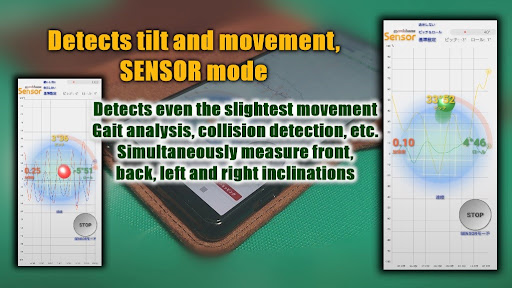
It is an application that displays acceleration and tilt as a graph.
Using the built-in sensor of the smartphone, the vertical acceleration, horizontal acceleration, front-back tilt (pitch), and left-right tilt (roll) of a vehicle such as a car are displayed in a graph. It is an application. The usage is here .. The items to be displayed can be selected arbitrarily, and the start and end of measurement are operated with the buttons. After measurement, check the graph by pinching.
①Select the acceleration by tapping
None (not displayed)
Longitudinal (longitudinal acceleration)
Lateral (lateral acceleration)
Both (both vertical and horizontal acceleration)
②Adjust the scale (1 to 9G)
③Select the tilt by tapping
None (not displayed)
Pitch (pitch: tilt back and forth)
Roll (roll: tilt left and right)
Both (both pitch and roll)
④Adjust the scale (10 to 90 degrees)
⑤Tap the standard setting
Set the current tilt as the reference value
⑥Tap the START button to start displaying the graph
⑦Tap STOP to end the graph display
⑧System settings (optional)
CONVERSION (GPS logger unit: m / s = 1.0, km / h = 3.6 knot = 1.94)
DEVICE_MAC (MAC address of GPS logger)
HORIZONTAL (screen is false when portrait, true when landscape)
INTERVAL (Enter the update cycle in the range of 100 to 1000 milliseconds)
LPF (low-pass filter: set in the range of 0.1 (weak) to 0.9 (strong))
MONITOR (monitor switching: 0=no display, 1=acceleration, 2=pitch & roll)
USE_STAND (true when standing up, false when laying down)
USE_LEFT (left side down, left true, other than false)
⑨Mode change (optional)
From the menu, switch between SENSOR mode and GPS mode
GPS mode calculates and displays the acceleration using the built-in GPS sensor or the location information of the GPS logger