gProjectViewer


gProjectViewer Summary
gProjectViewer is a with in-app purchases Android app in Business by Housatonic Software. Released in Jun 2013 (12 years ago). It has about 196.4K+ installs and 456 ratings with a 3.09★ (mixed) average. Based on AppGoblin estimates, it reaches roughly 1.5K monthly active users and generates around $<10K monthly revenue (100% IAP / 0% ads). Store metadata: updated Mar 7, 2023, version 289.
Recent activity: 35 installs this week (147 over 4 weeks) showing steady growth View trends →
Data tracking: SDKs and third-party integrations were last analyzed on Feb 18, 2026. The app's network data flows (API traffic to/from the app and its SDKs) were last crawled on Jul 13, 2025.
Store info: Last updated on Google Play on Mar 7, 2023 (version 289).
gProjectViewer was last scanned for SDKs 2026-02-18. Below is the overview of third party companies detected in the app. The full list of raw SDKs, app permissions and unknown SDKs is available here.
 Microsoft
 Mono Project
3.09★
Ratings: 456
Screenshots

App Description
Project Viewer for Microsoft Project (MPP) files
New!! Create Gantt charts and edit/save existing MS Project Plans in MPP file format!
Free Viewer for Microsoft Project MPP Files!
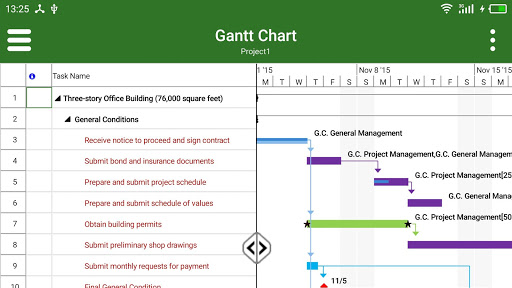
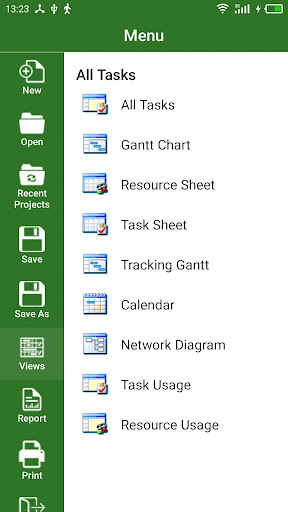
View and print MS Project information without Microsoft Project installed on your device. Housatonic Project Viewer 365 looks and works the same way as MS Project. Users open their mpp files to instantly view project information like Gantt Chart, Network Diagram, Task and Resource Usage, Project Calendar, Resource Sheet and Project Reports. Project Viewer will open MPP project files from One Drive, Google Drive, Box, Drop Box and SharePoint.
• Looks and feels exactly like Microsoft Project - no training necessary
• Housatonic Project Viewer saves money by eliminating the need to purchase a full Microsoft Project license to simply open, view and print MPP files
• Reads MPP files in MS Project 2016, 2013, 2010, 2007, 2003, 2002, 2000, 98 MPP file formats
• View large, complex MS Project files with custom views and custom filters
• Read all standard and advanced MS Project views, reports and filters
In App Option 1: Advanced View Only
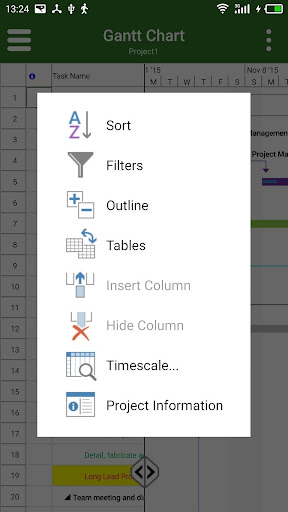
Enable advanced sorting capabilities, apply additional filter options, customize time scale
Access additional project views like Calendar View, Resource and Task Usage, View Network Diagram
View Multiple Project Reports and Print Project Info to PDF or Paper
In App Option 2: Create New/Edit and Save in MPP File Format
Create new Gantt Charts in MS Project MPP compatible formats or modify existing project schedules in the same intuitive way as Microsoft Project. Save your plans (MPP files) from any storage or cloud location on any device. Works with, or as an alternative to Microsoft Project.
Housatonic Project Viewer comes with multi-language support:
Czech
Chinese
Dutch
English
French
German
Italian
Japanese
Romanian
Russian
Spanish
For more products and information please visit our website at www.projectviewercentral.com