인크루트 View - 비대면 면접을 위한 디지털 채용솔


인크루트 View - 비대면 면접을 위한 디지털 채용솔 Summary
인크루트 View - 비대면 면접을 위한 디지털 채용솔 is a Android app in the Tools category, developed by 인크루트. First released 4 years ago(Jan 2021), the app has accumulated 3K+ total installs
Recent activity: 58 installs this week (67 over 4 weeks) showing exceptional growth View trends →
Store info: Last updated on Google Play on Jan 31, 2021 .
0★
Ratings:
Screenshots

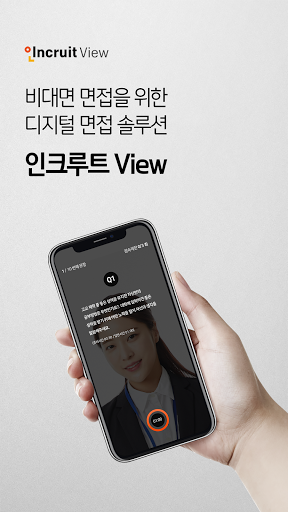
App Description
Digital recruitment solution for non-face-to-face interviews
Video interview anytime, anywhere, regardless of time or place
Interviews can be conducted, and participation is simple.
1. Start the interview
-Enter the interview number, user ID, and authentication code received from the institution in order.
-After agreeing to the collection and use of personal information, please enter the required password when reconnecting.
2. Preparing for a video interview
-Please check the guide and screen guide before starting the video interview.
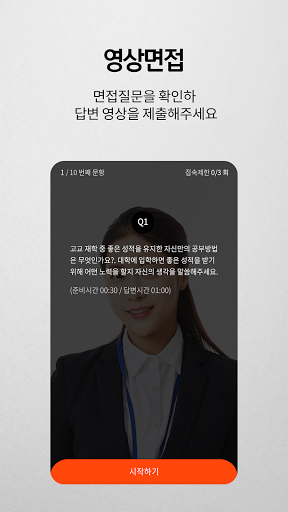
3. Start video interview
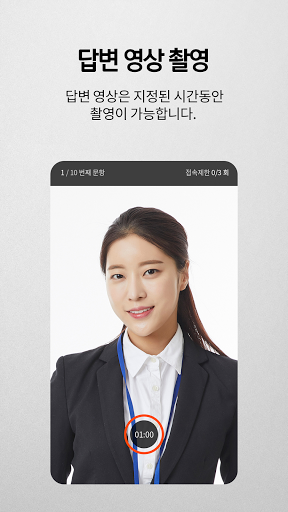
-Please check the presented question and start filming the answer video.
-When the specified time is over, recording of the answer video ends and moves to the next question.
4. Video interview completed
-After all the questions presented, the interview end guide screen appears.
-Submitted videos cannot be checked, please wait until the final contact from the person in charge of the institution.
Precautions
-Do not be nervous and proceed to filming the answer video as if talking naturally.
-Data usage fees may be incurred when submitting a response video via 3G/LTE.
-Adjust and fix the position so that the head and shoulders appear in the center of the screen.
-Please proceed in a quiet place so that you are not disturbed by other people and that noise, etc. are not recorded during video recording.
-Please read the questions presented carefully and complete the filming of the answer video within the specified time.
---------------------------------------------
Information on required access rights
*Camera: Filming the interview answer process
*Microphone: Filming the interview answer process
*Save: Save the video of the response process as the response result