Invitation Card Maker Pro


Invitation Card Maker Pro Summary
Invitation Card Maker Pro is a mobile Android app in Art And Design by AUSTECH STUDIO. Released in Feb 2024 (2 years ago). It has about 2.7K+ installs and 98 ratings with a 4.20★ (good) average. Based on AppGoblin estimates, it reaches roughly 459 monthly active users . Store metadata: updated Aug 3, 2025.
Recent activity: 285 installs this week (294 over 4 weeks) showing steady growth , and 16 new ratings this week View trends →
Store info: Last updated on Google Play on Aug 3, 2025 .
4.2★
Ratings: 98
Screenshots

App Description
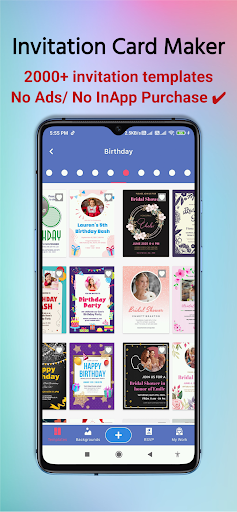
Invitation Card Maker provides a range of professional invitation card templates
Invitation Card Maker Pro provides a range of Free Professional invitation card templates for your events, parties, or any occasion, simplifying the card-making process.
Searching for a hassle-free solution to craft stunning, personalized invitations? Explore Invitation Card Maker Pro! Our intuitive app allows you to design beautiful invitations effortlessly, whether it's for a birthday bash, wedding extravaganza, or any other festivity.
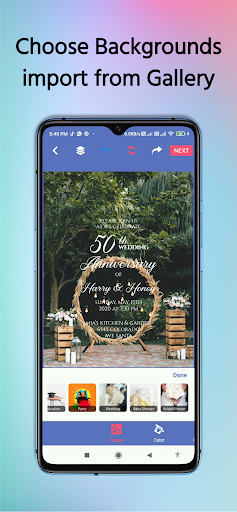
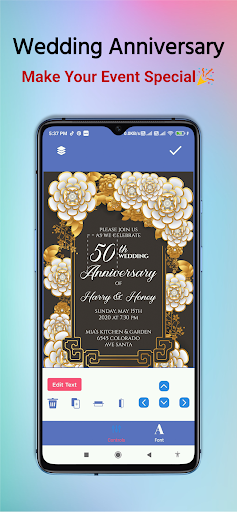
Choose from a wide array of templates to kickstart your design or unleash your creativity with custom designs. With our easy-to-use editing tools, adding text, photos, and other elements to your invitation is a breeze, enabling you to create a unique and memorable design that mirrors your personality and style.
Whether you're a seasoned event planner or a novice aiming to elevate your party invitations, Invitation Card Maker Pro provides everything you need to create captivating, high-quality invitations that will delight your guests. Don't delay! Download Invitation Card Maker Pro today and embark on crafting your perfect invitations!
Features:
- Multiple background options: Access a vast library of backgrounds to enhance your cards, including colors, gradients, textures, blur backgrounds, and watercolors.
- Color sets: Choose from a wide range of colors for the background and fonts.
- Stickers: Browse categories of cute stickers to complement your design.
- Text: Customize text in the templates by editing fonts, adding strokes, shadows, spacing, size, alignment, color, texture, blur, watercolor, opacity, capitalization, and more.
- Share: Save your card directly to your photo gallery or share it via social media platforms like WhatsApp, Facebook, and Instagram.
With the option to use your own photos and a variety of color combination cards, creating professional posters is effortless with our app. Simply select a template, edit the details like your name, date, and time, and voila! Your poster is ready within minutes, even without prior design knowledge.