SWIP


SWIP Summary
SWIP is a ad-supported Android app in the Shopping category, developed by ООО "Умный кошелек". First released 8 years ago(Jul 2017), the app has accumulated 216.8K+ total installs
Recent activity: 777 installs this week (4.3K over 4 weeks) showing below average growth View trends →
Data tracking: SDKs and third-party integrations were last analyzed on Dec 17, 2025. The app's network data flows (API traffic to/from the app and its SDKs) were last crawled on Dec 2, 2025.
Store info: Last updated on Google Play on Oct 31, 2025 (version 348).
SWIP was last scanned for SDKs 2025-12-17. Below is the overview of third party companies detected in the app. The full list of raw SDKs, app permissions and unknown SDKs is available here.
 Huawei
 Google
 Kotlin
 ReactiveX
 Bumptech
 Firebase
 Square
 Keepsafe
 PayPal
 Huawei Analytics
0★
Ratings: 0
Screenshots

App Description
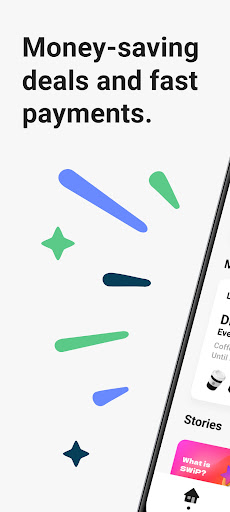
Payment with auto counting of bonuses from each purchase in your phone.
SWiP is the best mobile app with which you can get bonuses and pay for your smartphone purchases 💙
Cards, coupons, dictation of a phone number, clarification of how many points you have, etc. - all this is in the past, because there is a SWiP
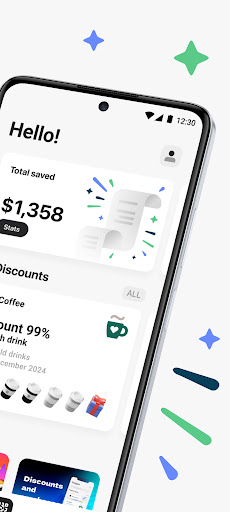
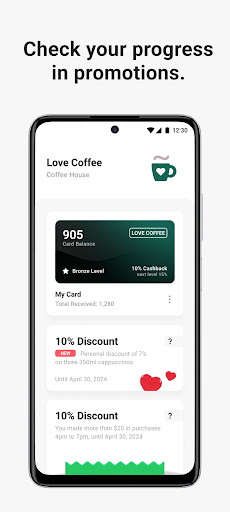
All loyalty progress and saved amount will be displayed on your home screen app
There are different ways to use SWiP:
🔹 Do you want to get rid of plastic cards and cash?
Pay for your purchases with a smartphone 📲 and get bonuses at the same time?
Use SWiP by choosing FPS as your payment method or once by adding a bank card (card data is protected by 3D Secure)
It is very convenient and modern
🔹 Are you used to paying your purchases with a plastic card or cash and want to get bonuses?
Use SWiP by choosing the "Cash or Plastic Card" payment method
✨ In any case you will get bonuses from each purchase in your favorite shops
⏱️ Installation and registration by phone number takes less than a minute, and your savings and benefits from each purchase will always be in your phone
How to use SWiP in shops?
1. Choose a convenient payment method in the profile section 👤
2. Tell the employee "I'm paying for SWiP"
3. Scan the SWiP QR code on the checkout area from the app and confirm your payment
How to use SWiP on a vending machine?
1. Scan the QR code on the vending machine from the application
2. Choose the product on the vending machine
3. In the application you pay for the order
4. Pick up the goods
With all care, the SWiP team