Bird Life Simulator

Bird Life Simulator Summary
Bird Life Simulator is a ad-supported Android app in Simulation by kevin.wang. Released in Jun 2025 (8 months ago). It has about 37.8K+ installs and 95 ratings with a 3.27★ (mixed) average. Based on AppGoblin estimates, it reaches roughly 2.6K monthly active users and generates around $<10K monthly revenue (0% IAP / 100% ads). Store metadata: updated Jan 5, 2026.
Recent activity: 1.5K installs this week (6.8K over 4 weeks) showing steady growth , and 3.00 new ratings this week View trends →
Store info: Last updated on Google Play on Jan 5, 2026 .
3.27★
Ratings: 95
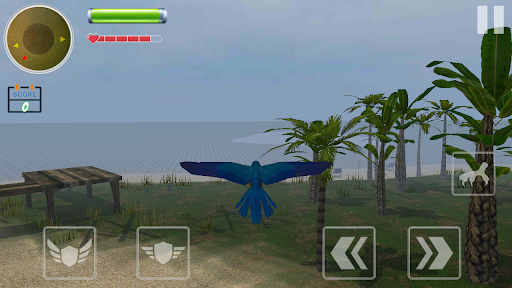
Screenshots
App Description
Live the life of bird - fly, explore, survive, and raise your family in the sky
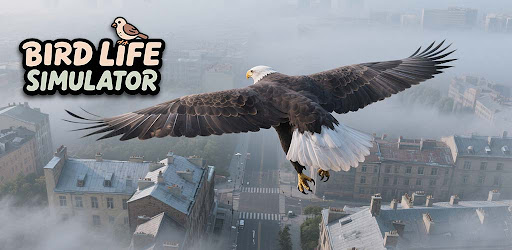
Step into the feathers of a wild bird and experience nature like never before. In Bird Life Simulator, you'll soar through open skies, navigate realistic environments, and take on the challenges of survival from a bird's-eye view. Whether you're gliding over city rooftops, hunting for food, or building your nest, every moment brings a new adventure.
Key Features:
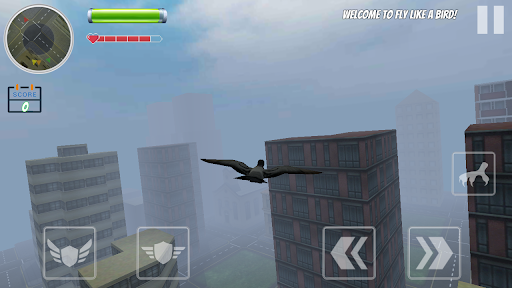
- Authentic Bird Flight - Easy-to-learn, smooth flying controls that make gliding and diving feel real.
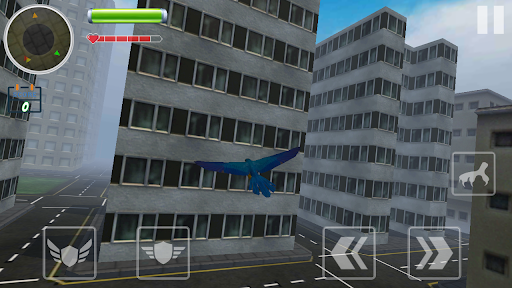
- Open World Exploration - Fly across forests, cities, rooftops, and nature-rich landscapes.
- Survival Gameplay - Hunt for food, avoid dangers, and manage your energy to stay alive.
- Nest & Family Building - Lay eggs, care for your chicks, and watch your bird family grow.
- Dynamic Weather & Day/Night Cycle - Experience changing skies, from sunny days to moonlit nights.
Whether you're looking for a peaceful flying experience or a survival challenge, Bird Life Simulator offers a rich, immersive journey into the life of a bird.
Pilot’s Manual | The Art of Flight: To ensure a smooth take-off, please review these flight control instructions.
1. Altitude Control (Lift & Glide)
- This game uses Flight Simulator Logic: pull back (Down Key) to climb.
- Flap to Ascend: Tap the "Wing" icon on your screen or press the Down Arrow (↓) key. Your bird will flap its wings to gain altitude.
- Glide: Tap the "Glide" icon on your screen or press the Up Arrow (↑) key. Your bird will spread its wings and coast smoothly through the air.
- Land/Descend: If you release all altitude controls, the bird will naturally lose height and descend until it reaches the ground.
2. Directional Control (Navigation)
- Turn Left: Tap the "Left Arrow" icon or press the Left Arrow (←) key.
- Turn Right: Tap the "Right Arrow" icon or press the Right Arrow (→) key.
- Fly Straight: Simply release the steering controls, and the bird will maintain a steady forward path.
Pro Flight Tips
- Control Logic Explained: If the controls feel "inverted," remember this follows Professional Pilot Logic—pulling "down/back" on the controls lifts the bird's head toward the sky.
- Visual Cues: Watch for the animated icons on your screen; they will guide you on the best timing for each action.
- Energy Management: Constant flapping consumes energy. Try alternating between "Flapping" and "Gliding" to travel much longer distances!
Download now and take flight!