LINE CLOVA Note

LINE CLOVA Note Summary
LINE CLOVA Note is a mobile Android app in Tools by LINE WORKS Corp.. Store metadata: updated Jun 30, 2023.
Store info: Last updated on Google Play on Jun 30, 2023 .
0★
Ratings:
Screenshots



App Description
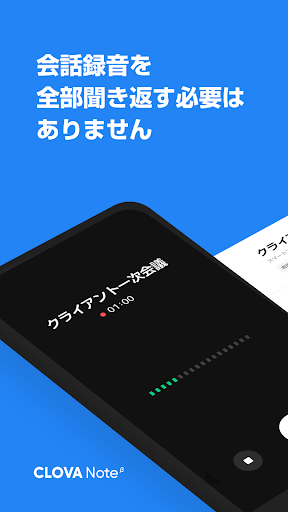
AI voice recognition app that turns voice into text
Towards a world where “You said this at that time, right?” disappears.
CLOVA Note uses AI technology to easily convert voice to text.
You can focus more on the conversation without the hassle of transcribed from recordings, taking minutes of meetings, or taking notes in class.
◆Recommended at times like this
・Creating notes for lectures and classes
・Creating minutes of conferences and meetings
・Creating notes for interviews
・Confirmation of seminar content
・Self-rehearsal for lectures and presentations
・Dictation records such as notes and ideas
◆Voice directly into text with simple operation
All you have to do is press the record button on your smartphone or tablet. Speech recognition AI converts the recorded voice into text, so you'll never miss an important conversation because you're desperate to take notes. You can convert up to 180 minutes of conversation at a time, so you can use it without worrying about time.
It can recognize not only Japanese but also English and Korean.
◆Convenient speaker separation for conversations with 3 or more people
Have you ever had the problem of not knowing who spoke when you were taking minutes while listening to the recording of a meeting? In CLOVA Note, AI distinguishes the voice of the speaker and displays the conversation separately for each speaker, such as "Participant 1" and "Participant 2". Of course, you can also edit the display of "Participant 1" to the name of the actual participant, such as "Mr. Tanaka".
◆ Multi-device support
It can be used on smartphones, tablets and PCs. If you log in with the same ID, the app and PC version will be automatically linked, and you can view, edit, and add notes from the PC version of the notes created on your smartphone.
You can also upload audio files that have already been recorded, such as lectures, and convert them to text.
◆Important points can be found in one shot.
If you find it important while recording, please bookmark it. You can easily find important parts from recorded audio files. You can also use text search to find notes that contain keywords from multiple notes, and you can also play audio from the location found by text search.
◆ Substantial basic functions
As a recording app, it has noise reduction and playback speed adjustment functions that allow double speed playback. You can not only edit the converted text, but also download the file, so you can edit the text and voice with familiar apps and software, and share it using SNS, email, etc.
◆ Request
LINE's AI technology brand "LINE CLO