Lock Screen, Widgets - YoLock
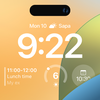

Lock Screen, Widgets - YoLock Summary
Lock Screen, Widgets - YoLock is a ad-supported, with in-app purchases Android app in the Personalization category, developed by Digital Dreamworks Studio. First released 7 years ago(Feb 2018), the app has accumulated 8.2M+ total installs and 37.5K ratings with a 3.87★ (average) average rating.
Recent activity: 60.3K installs this week (557.1K over 4 weeks) showing exceptional growth , and 106 new ratings this week (1.1K over 4 weeks) with surging momentum. View trends →
Data tracking: SDKs and third-party integrations were last analyzed on Dec 24, 2025. The app's network data flows (API traffic to/from the app and its SDKs) were last crawled on Oct 12, 2025.
Store info: Last updated on Google Play on Dec 15, 2025 (version 75).
Lock Screen, Widgets - YoLock was last scanned for SDKs 2025-12-24. Below is the overview of third party companies detected in the app. The full list of raw SDKs, app permissions and unknown SDKs is available here.
 Greenrobot
 Google
 Square
 ReactiveX
 Mintegral
 Vungle
 AppLovin
 Firebase
3.87★
Ratings: 37.5K
Screenshots


App Description
Lock screen with wallpapers, widgets, custom quick settings and notification
You're feeling too bored with the default lock screens and want to customize them to express your personality. The lock screen app makes this easy. With many other features, you can create the most convenient and suitable lock screen for yourself.
With numerous special features, you can change and set up the lock screen to fit your phone and yourself. Many features help you customize your lock screen:
Change lock screen wallpaper
Choose from various interfaces and images, including themes like Astronomy, Emojis, Anime, Neon etc. You can even use your own images as lock screen wallpaper to see your favorite picture.
To change wallpaper from lock screen, please hold on the screen and swipe back and forth to change wallpaper.
PIN-style lock screen
Set a simulated PIN-style lock with your favorite numbers for a personal touch
Notifications on lock screen
View notifications directly on the lock screen in stack or expanded view
Weather Widget
Stay updated with weather information to prepare for outings or choose appropriate clothing.
Customize the weather widget to match your lock screen style.
Change Clock style and font
Customize the clock display with various designs, fonts, colors, and styles.
If you're a fan of the clock widget, you can easily access it by going into the app and selecting the clock template, then use it effortlessly
Swipe on lock screen to access Camera
Quickly capture beautiful moments by swiping from left to right to access the camera.
Add animated widgets to lock screen
Make lock screen more fun and dynamic with animated cat, dogs or flower etc
API Accessibility Services
This app uses API AccessibilityServices
This application requires activation in the accessibility service to display the lock screen view on the mobile screen. Additionally, this app utilizes accessibility service functionalities such as control music, control volume, and dismissing system dialogs, among other features.
1- This application does not accumulate or disclose any user information about this accessibility right.
2- No user data is stored by this application about this accessibility right.
We do not sell, trade or otherwise transfer your personally identifiable information to outside parties. Please grant this permission to use these actions: Go to Settings > Accessibil