PDFTool

PDFTool Summary
PDFTool is a ad-supported Android app in the Productivity category, developed by LYMA Apps. First released 4 years ago(Dec 2021), the app has accumulated 42+ total installs
Recent activity: 1 installs this week (1 over 4 weeks) showing strong growth View trends →
Store info: Last updated on Google Play on Dec 17, 2021 .
0★
Ratings:
Screenshots

App Description
PDFTool is simple, easy with a wide range of options to manage you PDF files.
You can explore more features that are used in your daily lifestyle.
Key Features:
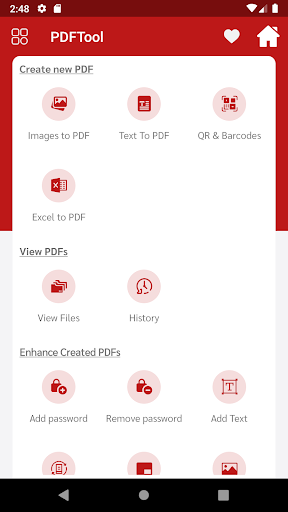
> Images to PDF
Select single or multiple image and one-click to convert them to PDF
> Text to PDF
Select single or multiple text file and create a PDF
> QR & Barcodes to create PDF
Scan QR/Barcode so that content
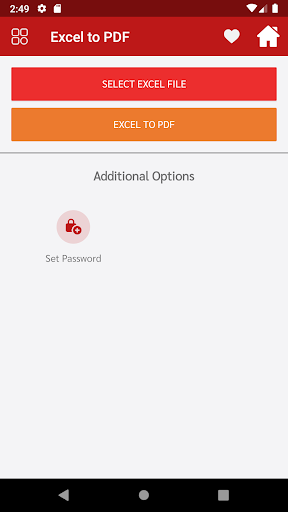
> Excel to PDF
Just select any excel file and create a PDF easily.
> View PDF Files & History
You can see all the existing files which is created by this tool.
> Add Password
You can add a password to any PDf document.
> Remove Password
Password can be removed from any PDF file.
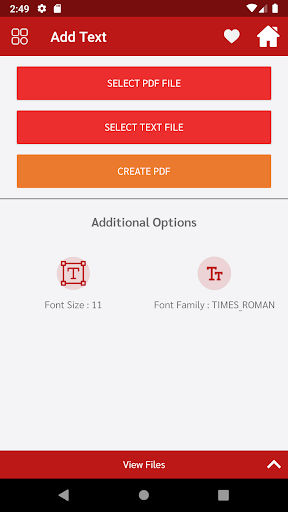
> Add Text
You can add any text in the PDF file to customize it.
> Rotate Pages
Pages can be rotated in pdf document.
> Add Watermark
The watermark text can be added to any existing PDF.
> Add Images
You can add multiple images to your existing PDF.
> Merge PDF
Tow to more PDF can be merged.
> Split PDF
You can split any PDF in parts.
> Invert PDF
Using this option can invert any of the pdf with a black or white background.
> Compress PDF
With the help of the compression method, any of your PDF sizes can be decreased.
> Remove Duplicate
With the help of this tool, duplicate PDF can be removed in one click.
> Remove Pages
In this function, you can remove any of the pages from the selected pdf.
> Reorder Pages
You can reorder any of the pages from the selected pdf document.
> Extract Images
Images can be extracted from any of the selected pdf documents.
> Extract Text
You can extract text from pdf document.
> Zip to PDF
You can make a zip file into a pdf document.