All Mail


All Mail Summary
All Mail is a ad-supported, with in-app purchases Android app in the Communication category, developed by Modern Tools Apps. First released 1 year ago(Jul 2024), the app has accumulated 44K+ total installs and 163 ratings with a 4.22★ (good) average rating.
Recent activity: 38 installs this week (187 over 4 weeks) showing steady growth , and 2 new ratings this week (4 over 4 weeks) with stable momentum. View trends →
Data tracking: SDKs and third-party integrations were last analyzed on Nov 8, 2024.
Store info: Last updated on Google Play on Jul 3, 2024 .
All Mail was last scanned for SDKs 2024-11-08. Below is the overview of third party companies detected in the app. The full list of raw SDKs, app permissions and unknown SDKs is available here.
 Facebook
 Square
 Google
 Vungle
 AppLovin
 Firebase
4.22★
Ratings: 163
Screenshots


App Description
All emails in one inbox with quick access, easy management & after-call screen.
Tired of switching between multiple email accounts? Stay organized and get things done faster with All Mail, the app that brings all your inboxes together in one place. Whether you use Gmail, Outlook, Yahoo, or other email providers, you can access, manage, and send emails without constantly switching between apps.
With a simple and user-friendly design, All Mail makes email management easy. No more juggling different apps, everything you need is right here in one place.
Key Features
✉️ Unified Inbox: Manage all your email accounts from one inbox.
📧 Multiple Accounts: Connect and switch between Gmail, Outlook, Yahoo, and more.
🔔 Email Notifications: Get alerts so you never miss an important email.
📂 Smart Sorting: Automatically categorize emails for easy access and organization.
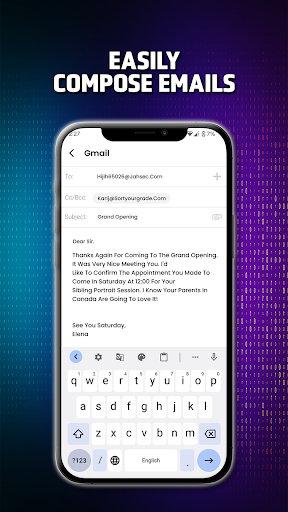
📝 Quick Compose: Write and send emails instantly without switching accounts.
⭐ Favorites & Labels: Organize your important emails with custom labels and folders.
📌 Email Reminders: Set reminders to follow up on emails at the right time.
📞 After-Call Screen: Easily access your inbox after calls for better workflow.
📤 Easy Email Sharing: Forward emails and share attachments quickly.
🌙 Dark Mode: Reduce eye strain with a sleek, easy-on-the-eyes dark theme.
🔍 Advanced Search: Find emails, attachments, and contacts fast.
One App for All Your Email Needs
No need to download multiple email apps - All Mail supports Gmail, Outlook, Yahoo, AOL, Hotmail, and other mail accounts. Whether you're managing personal emails or business communication, this app helps you keep everything in check.
The unified inbox lets you view and respond to emails across different accounts without switching apps. With real-time notifications, you'll never miss an urgent message. Stay productive by keeping all your conversations in one place.
After-Call Menu - Easy Access to Mail
All Mail has an after-call overlay screen that gives access to the app just after a call. This feature makes it possible for users to write emails immediately after an important call.
Better Email Organization
📂 Smart Folders & Categories: Automatically sort emails into primary, social, and promotional folders for easy browsing.
📑 Attach Files Easily: Add images, documents, and other attachments directly from your device.
📌 Pin Important Emails: Keep critical emails at the top of your inbox for quick access.
📨 Bulk Actions: Delete, archive, or mark multiple emails at once to clear up your inbox faster.
Built for Productivity
With its clean interface and powerful email management tools, All Mail helps you stay on top of your inbox. Whether you're replying to business emails, organizing messages, or sending attachments, this app makes everything simple.
Switch between accounts instantly, sort emails automatically, and customize settings to fit your needs.
Easily manage work emails, personal messages, and newsletters in one app without missing anything. Whether you're at home, in the office, or on the go, All Mail keeps you connected.
Why Choose All Mail?
✔️ All emails in one app – No need for multiple apps, access everything in one place.
✔️ Fast account switching – Move between accounts instantly.
✔️ Real-time notifications – Stay updated on new emails.
✔️ Smart sorting and organization – Keep your inbox clean and easy to navigate.
✔️ Simple and user-friendly – Easy navigation and intuitive controls.
✔️ After-Call Feature – Open your inbox right after calls to stay on track.
✔️ Dark Mode – Great for nighttime reading and reducing eye strain.