GPS Camera: Photo Location Map

GPS Camera: Photo Location Map Summary
GPS Camera: Photo Location Map is a ad-supported Android app in the Productivity category, developed by Smart Tools & Utilities. First released 3 years ago(Sep 2022), the app has accumulated 1.6M+ total installs and 843 ratings with a 4.17★ (good) average rating.
Recent activity: 77.5K installs this week (174K over 4 weeks) showing exceptional growth , and 26 new ratings this week (64 over 4 weeks) with stable momentum. View trends →
Data tracking: SDKs and third-party integrations were last analyzed on Nov 21, 2025. The app's network data flows (API traffic to/from the app and its SDKs) were last crawled on Jun 3, 2025.
Store info: Last updated on Google Play on Nov 6, 2025 (version 24).
GPS Camera: Photo Location Map was last scanned for SDKs 2025-11-21. Below is the overview of third party companies detected in the app. The full list of raw SDKs, app permissions and unknown SDKs is available here.
 JetBrains
 Bumptech
 MapBox
 Square
 Firebase
 Google
4.17★
Ratings: 843
Screenshots

App Description
Geotag photos with GPS, date, map & location stamps. Easy & accurate.
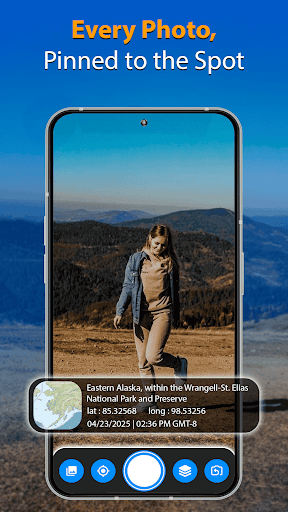
Capture and document every moment with accurate location data using the GPS Camera app. This app allows you to automatically add GPS coordinates, date, time, address, and map views to your photos. Whether you are traveling, working in the field, or managing documentation, GPS Camera helps keep your memories and records organized with precise geotags.
Designed for users who want to track and store photo locations, GPS Camera provides easy-to-use tools for geotagging and timestamping images in real-time.
Key Features
• Automatically geotag photos with address, GPS coordinates (latitude and longitude)
• Add customizable date and time stamps
• Include map overlays from multiple map styles: normal, satellite, hybrid, terrain
• Capture weather data, compass direction, altitude, speed, and magnetic field readings
• Record videos with GPS tags and real-time location stamps
• Access and export detailed GPS information from images
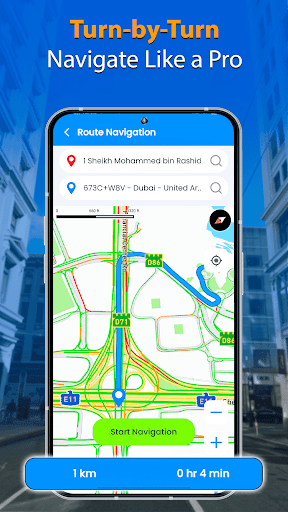
• Use built-in navigation tools for travel and route tracking
• Voice-assisted GPS navigation with turn-by-turn guidance
• Switch between camera templates: classic or advanced layouts
How to Use
• Install GPS Camera on your Android device
• Open the app and select your preferred camera template
• Customize what information appears on your photos (location, time, weather, etc.)
• Capture your image - GPS Camera will automatically apply all selected data as a stamp
• Save or share your photos with built-in location information
Who Can Use This App
• Travelers who want to remember where each photo was taken
• Real estate professionals documenting property locations
• Event organizers capturing moments with location data
• Field workers who need to verify site visits
• Photo enthusiasts who want to keep photo metadata
• Content creators adding geotags for context in blogs or reports
• Business professionals who track appointments or meetings with location tags
Uses and Benefits
• Create visual travel journals with detailed location data
• Keep records of visited places for work or personal use
• Enhance photo metadata for reporting and documentation
• Add context to photos shared with friends, family, or clients
• Simplify navigation and route tracking with built-in GPS tools
Download GPS Camera today to start adding detail