ELV Kiosk


ELV Kiosk Summary
ELV Kiosk is a mobile Android app in Education by ELV Alliance. Released in Nov 2019 (6 years ago). It has about 1.8K+ installs and 5.00 ratings with a 4.40★ (good) average. Based on AppGoblin estimates, it reaches roughly 29 monthly active users . Store metadata: updated Nov 11, 2019.
Recent activity: 1.00 installs this week (6.00 over 4 weeks) showing below average growth View trends →
Store info: Last updated on Google Play on Nov 11, 2019 .
4.4★
Ratings: 5.00
Screenshots

App Description
Early Learning Ventures offers the ELV Kiosk to child care providers.
Child care providers that have an affiliate agreement with Early Learning Ventures (ELV) and actively use the ELV CORE Website for child care management can use the Kiosk on a daily basis to track attendance for both children and staff. Starting a Kiosk requires an active child care provider staff user account that is enabled to start a Kiosk, or an active child care provider Kiosk user account. Kiosks are started after the child care provider user account is successfully authenticated.
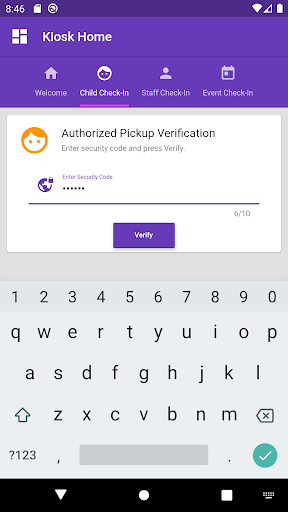
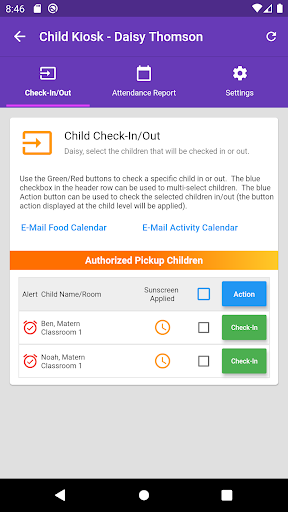
Once started, the Kiosk can be used by parents to check children in and out of child care. The Kiosk is also used to display communications between child care provider and parent, to allow parents to approve child care provider entered attendance records, to view and request attendance reports, and to update their contact e-mail address and mobile phone number (optional). A unique security code is required for each parent to gain access to the Kiosk.
Child care provider staff members can also check-in/out of the kiosk to keep records of work time. For staff members, the Kiosk is also used to display communications between child care provider and staff members, view and request attendance reports, and update their contact e-mail address and mobile phone number (optional). A unique security code is required for each parent to gain access to the Kiosk.