Ebon Basic - Hybrid Watch Face

Ebon Basic - Hybrid Watch Face Summary
Ebon Basic - Hybrid Watch Face is a mobile Android app in Personalization by Time Canvas. Released in Jul 2024 (1 year ago). It has about 17.6K+ installs and 78 ratings . Based on AppGoblin estimates, it reaches roughly 574 monthly active users . Store metadata: updated Oct 27, 2025, version 1004.
Recent activity: 231 installs this week (1.1K over 4 weeks) showing steady growth , and 1.00 new ratings this week View trends →
Data tracking: SDKs and third-party integrations were last analyzed on Feb 14, 2026. The app's network data flows (API traffic to/from the app and its SDKs) were last crawled on Nov 30, 2025.
Store info: Last updated on Google Play on Oct 27, 2025 (version 1004).
Ebon Basic - Hybrid Watch Face was last scanned for SDKs 2026-02-14. Below is the overview of third party companies detected in the app. The full list of raw SDKs, app permissions and unknown SDKs is available here.
 Facebook
 Google
 Square
 Kotlin
0★
Ratings: 78
Screenshots



App Description
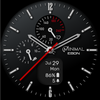
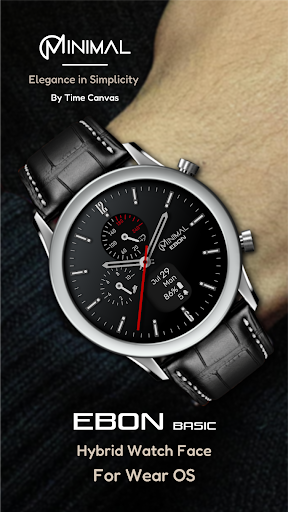
Experience sleek design and smart features with Minimal Ebon Basic hybrid watch.
Featuring a sleek analog interface and a digital screen for essential data.
Key Features:
Minimalistic hybrid dial design
Three user-defined custom shortcuts
Always-On Display (AOD)
Displays:
Analog time
Digital smart screen showing calendar, battery, and notification info
Analog step goal and heart rate dials
To set up app shortcuts:
Press and hold the watch display.
Tap the customize button.
Select the 3 app shortcuts to configure your desired settings.
Measuring Heart Rate
Heart rate is measured automatically. On Samsung watches, you can change the measurement interval in the Health settings. To adjust this, navigate to your watch > Settings > Health.
Compatibility:
This watch face is designed for Wear OS devices operating on WEAR OS API 30+, including the Samsung Galaxy Watch 4, Samsung Galaxy Watch 5, Samsung Galaxy Watch 6, and other compatible models.
Note: The phone app serves as a companion to make it easier to install and find the watch face on your Wear OS watch. You can select your watch device from the install drop-down menu and install it directly on your watch.
If you encounter any installation issues, please read the detailed instructions on the companion app or contact us at timecanvasapps@gmail.com.
"Enjoying this design? Be sure to check out our other creations. More designs will be available on Wear OS soon. For quick contact, please email us. We welcome and value all feedback in the Play Store—whether it's what you love, what needs improvement, or any suggestions you have. We welcome your design ideas and suggestions. We make it a priority to consider all feedback.