ThermaMotion AI

ThermaMotion AI Summary
ThermaMotion AI is a mobile Android app in Tools by Mobile Toys & Tools. Released in Mar 2024 (1 year ago). It has about 2.6K+ installs Based on AppGoblin estimates, it reaches roughly 143 monthly active users . Store metadata: updated Mar 28, 2024.
Recent activity: 13 installs this week (51 over 4 weeks) showing declining growth View trends →
Store info: Last updated on Google Play on Mar 28, 2024 .
0.36★
Ratings: 0
Screenshots


App Description
AI powered Thermal Motion Detector for Teledyne FLIR streaming cameras
Important: You will need to have a FLIR streaming thermal camera for this app to run.
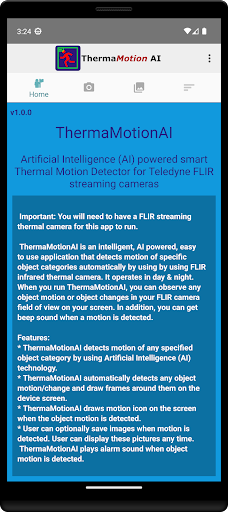
ThermaMotionAI is an intelligent, AI powered, easy to use application that detects thermal motion of specific object categories automatically by using FLIR infrared thermal camera.
ThermaMotionAI operates in day & night. When you run ThermaMotionAI, you can observe any motion and/or changes in your FLIR camera field of view on your screen. In addition, you can get beep motion sound.
FEATURES;
*ThermaMotionAI detects motion of any specified object category by using Artificial Intelligence (AI) technology.
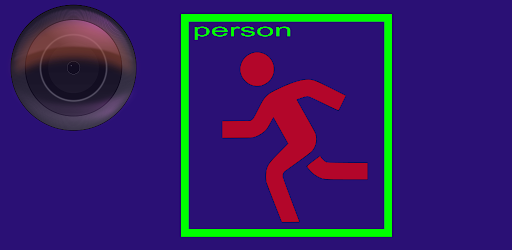
*ThermaMotionAI automatically detects any object motion/change and draw frames around them on the device screen.
*ThermaMotionAI draws motion icon on the screen when the object motion is detected.
*User can optionally save images when motion is detected. User can display these pictures any time.
*ThermaMotionAI plays alarm sound when object motion is detected.
HOW TO USE:
*Fix your device by facing the FLIR thermal camera looking to the area you want to track.
*Turn on Wifi streaming on your camera.
*Start the application.
*Be sure that your thermal camera is placed in the discovery list.
*Click on the preferred thermal camera and get the live camera display.
PREFERENCES:
* Threshold: Threshold for object detection score. It is between 0.0 and 1.0. Smaller values yield more object detection but may cause noise and excess results.
* Max Results: Maximum number of object detection you can get. The upper limit is 5. When you set -1 this means to detect all moving objects.
* Delegate: You can select CPU or GPU on devices where available.
* ML Model: Machine Learning (AI) model to select.
* Alarm: Play beep sound when object motion is detected.
* Capture Images: Take pictures when object motion is detected.
* Categories: Select one or more object categories whose motion is detected.