My Virtual Business Card


My Virtual Business Card Summary
My Virtual Business Card is a with in-app purchases Android app in Business by Arturo DJ Uribe. Released in Feb 2021 (5 years ago). It has about 9.7K+ installs and 46 ratings with a 4.00★ (good) average. Based on AppGoblin estimates, it reaches roughly 947 monthly active users and generates around $<10K monthly revenue (100% IAP / 0% ads). Store metadata: updated Aug 29, 2025.
Recent activity: 9.00 installs this week (59 over 4 weeks) showing steady growth View trends →
Store info: Last updated on Google Play on Aug 29, 2025 .
4★
Ratings: 46
Screenshots


App Description
An app that manages all your Professional Business Cards
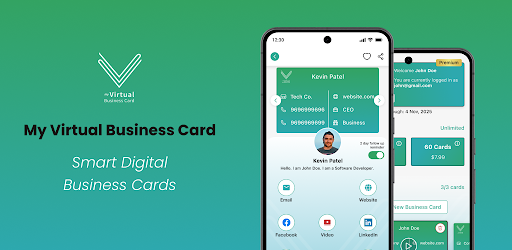
MVBC is the best online business card offering an innovative platform to manage your professional business cards on your mobile phone. This app can be used over cross-platforms and all smart devices. In fact, traditional business cards can also be scanned and saved in the app. Thus, it gives contactless and eco-friendly Smart digital business cards that can be shared on both Android & iOS devices. One can send emails📧, messages💬, make calls📞, get direction to the addresses🏢, etc. with this virtual business card app.
Features:
⭐ Offer: New user gets 5 free cards at My virtual business card.
⭐ Social Link: You can link your LinkedIn & Facebook profiles to your card.
⭐ Share Cards: Send your cards easily by email or QR code.
⭐ Card Reader: Scan your print card and save them on your tablet or phone.
⭐ Chat Room: Interactive messaging with all advanced features.
Why Choose MVBC?
✅ Gives a healthy edge over your contacts.
✅ Smarter networking with online business card maker.
✅ Brilliant services at a good price.
✅ Interactive chat room for business communication.
How Does A My Virtual Business Card Work?
1️⃣ Users can register using
☑ Profile photo
☑ First name
☑ Last name
☑ Email address
☑ Password
☑ Confirm password
⚠ Before creating an account, you need to check the checkbox for accepting T&C and Privacy policy.
⚠ After registering, you need to verify the email address then the user can log in to the app.
2️⃣ Add new business card
☑ Scan the visiting card and apply OCR to it.
If details are retrieved using OCR scan, then fill up the form automatically. Rest other fields can be left blank for the user to edit the form.
☑ Profile photo (capture from camera or pick from the gallery)
☑ First & Last Name
☑ Company Name
☑ Contact Number
☑ Email address
☑ Job Title
☑ Website
☑ LinkedIn & Facebook profile link
☑ Location (Autofill up as per user current location)
☑ Store captured business card photos as well.
☑ Industry (user can enter any industry here)
3️⃣ Chat
☑ List of all recent chat with the user (After 30 days automatically delete chat history)
☑ User can get chat details of past messages.
☑ Users can send Text, Video up to 15 sec and Images.
☑ Notification for a new message.
4️⃣ Connection List
☑ Ther