NCEE EZ Share – Video Recordin


NCEE EZ Share – Video Recordin Summary
NCEE EZ Share – Video Recordin is a Android app in the Education category, developed by VEO App. First released 5 years ago(Jun 2020), the app has accumulated 54+ total installs
Store info: Last updated on Google Play on Jun 24, 2020 .
0★
Ratings:
Screenshots

App Description
NCEE EZ Share is an easy way to upload videos to your NISL portal account
This app works only for people who have an account on the NISL portal: portal.nisl.org. That includes NCEE and NISL/EDP program participants such as school superintendents, principals and other administrators, teachers, and facilitators. You will be prompted for a NISL portal username and password.
NCEE EZ Share is the quick and easy way to securely record and upload videos directly to your NISL portal account. Videos in the NISL portal account are maintained in TOOLS > Video Annotation.
With a variety of features such as video capture, video recorder, and the ability to stitch multiple videos together, NCEE EZ Share makes it simple for you to upload videos to your NISL portal account.
Features:
- Record videos and upload directly to your NISL portal account
- Upload videos from your Android device library
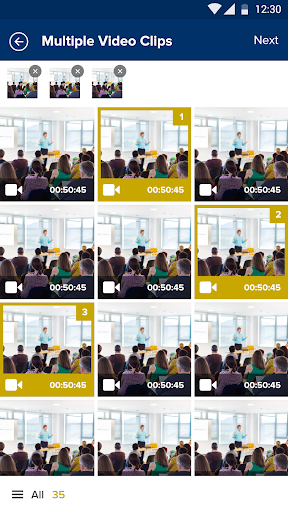
- Stitch multiple videos together into a single video
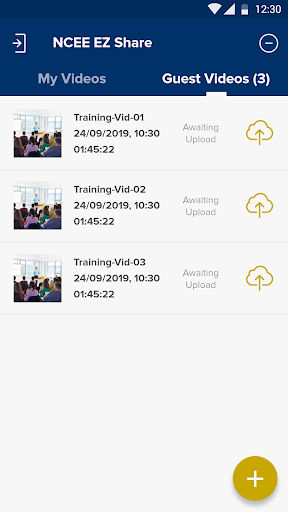
- Save videos to upload later for sharing, tagging, feedback, and annotation
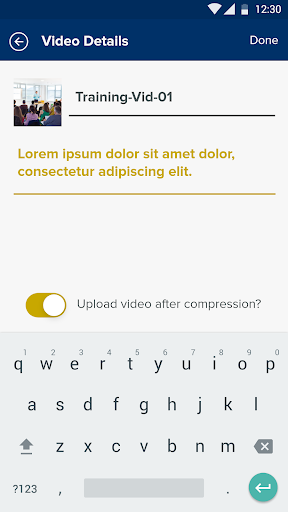
NCEE EZ Share uses automatic video compression for fast uploads and integrates seamlessly into the NISL portal platform.
Video recorder and uploader
Use the video recorder within the app for simple, quick, and completely secure uploading directly to your NISL portal account.
Upload videos from your own device library
Want to share videos you have recorded outside of the app? Simply select a video from the video library on your Android device.
Video stitcher
You can select multiple clips from within the app and from your device to combine videos together for uploading as a single video.
Save videos to upload later
There is no need to upload videos as soon as you create them. Your videos automatically save within the EZ Share app so you can upload them later, ready for sharing, tagging, feedback, and annotation.
Automatic compression for faster video uploads
Super fast upload times – the app automatically compresses your videos before uploading them to your NISL portal > TOOLS > Video Annotation.
Integrates seamlessly into the NISL portal platform
NCEE EZ Share seamlessly integrates with the NISL portal platform. This makes it even easier to get feedback on your practice. Record videos on the go, tag key moments, and securely share with colleagues, your NISL facilitator, and adviser; embed videos in your Action Learning work; an