5G 4G FORCE LTE MODE


5G 4G FORCE LTE MODE Summary
5G 4G FORCE LTE MODE is a ad-supported Android app in the Tools category, developed by Filtra Tech. First released 1 year ago(Oct 2024), the app has accumulated 6.6K+ total installs
Store info: Last updated on Google Play on Dec 19, 2024 .
0★
Ratings: 0
Screenshots


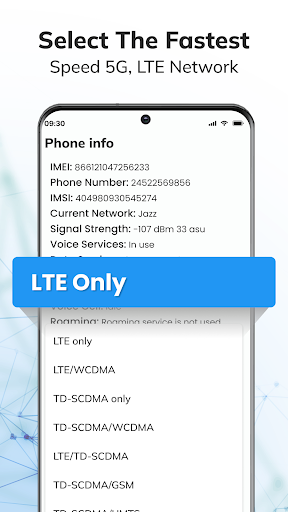
App Description
This app will help You change network to 5G/4G/3G/2G and stay in chosen network.
This app allows you to easily enable and lock your mobile device to 5G, 4G, or LTE mode.
✔ Switch your network to 5G/4G/3G and stay connected to your preferred network without auto-switching.
✔ Prevent automatic switching between 4G and 3G.
✔ Access network settings (5G/4G LTE/3G) not normally available in your phone’s system settings.
✔ If you have free 4G data but must pay for 3G, simply set your device to only use LTE.
✔ Select and lock any specific network signal such as 5G, 4G LTE, or 3G.
✔ Please note, forced LTE support depends on your phone brand, as some brands block this feature.
✔ View advanced network information, including Network Connectivity, Network Capability, and Phone Info.
✔ With just one tap, switch between 5G/4G LTE, WCDMA, GSM, or CDMA networks.
How to Use:
1. open 4G LTE Force app.
2. Click on SIM LTE|3g|2G Settings button to switch 4g mode.
3. Find the "Set preferred network type" Option.
4. Select "LTE ONLY".
5. Select "PING TEST" to check connection...
Disclaimer:
This 5G/4G LTE Force app won't work on all device as some device restrict the force switching mode.