Awesome Voice Recorder


Awesome Voice Recorder Summary
Awesome Voice Recorder is a ad-supported Android app in the Productivity category, developed by Newkline Co., Ltd.. First released 6 years ago(Mar 2019), the app has accumulated 1.1M+ total installs and 3.6K ratings with a 4.24★ (good) average rating.
Recent activity: 825 installs this week (4.6K over 4 weeks) showing steady growth , and 4 new ratings this week (15 over 4 weeks) with healthy momentum. View trends →
Store info: Last updated on Google Play on Jul 21, 2024 .
4.24★
Ratings: 3.6K
Screenshots

App Description
MP3/WAV/M4A HD Audio recording
AVR X (Awesome voice recorder X) is the best voice recording application with a cool interface and perfect functionality for business people, reporters, tutors, audio experts, sound engineers, school personnel, university students and those who need to manage voice memos.
■ Main functions
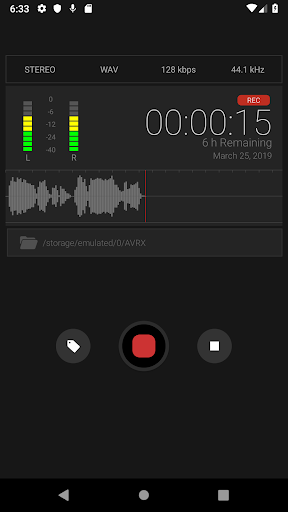
- Direct recording MP3, WAV, M4A audio format
- High quality audio recording
- Unlimited recording time
- Background recording (you can use other apps while recording & secret recording is possible)
- Support SD card.
- Wave display for recording status
- Various audio quality options
- Mono/stereo recording
- Records playable in various media
- Restart voice recordings after phone call pause
- Add description to voice records
- Fast and easy to use
- Display recording file size
- Safe stop for low battery and storage space
- Bluetooth support
- Supported audio formats (MP3,WAV,M4A)
- Sorting file function
- File Sharing
- Categories management
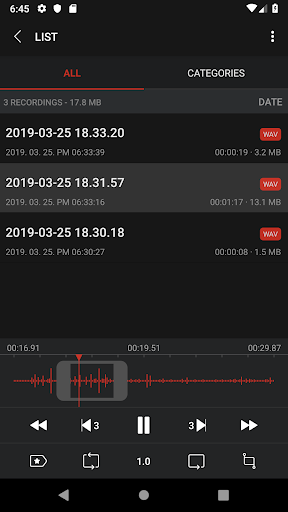
- Repeated, slow or fast play
- Audio visualisation
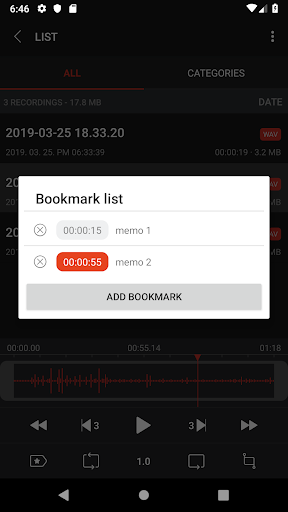
- Sound bookmark
- Convert
■ Folder management
You can create folders to save and control files
Creating/editing/deleting/changing/moving
■ Repeated, slow or fast play
You play repeatedly, slow or fast.
Replay,Rewind,Forward / 0.1x ~ Play
Fine-tune the playback speed
■ Trim&cut audio records
You can trim&cut the voice records as you want.
You can use the left/right pointers to trim&cut the voice records and save it (mp3,wav,m4a)
■ Audio visualisation
Voice records are visualised so that you can easily identify voice sections
Sound visualisation
■ Sound tag
You can play immediately by adding several tags to one audio file at selected time
Play at the location of tag