HD Icon Pack

HD Icon Pack Summary
HD Icon Pack is a ad-supported Android app in Personalization by The AppKnight. Released in Jan 2024 (2 years ago). It has about 31.4K+ installs and 123 ratings with a 4.69★ (excellent) average. Based on AppGoblin estimates, it reaches roughly 716 monthly active users and generates around $<10K monthly revenue (0% IAP / 100% ads). Store metadata: updated Oct 26, 2025.
Recent activity: 310 installs this week (992 over 4 weeks) showing steady growth , and 2.00 new ratings this week View trends →
Store info: Last updated on Google Play on Oct 26, 2025 .
4.69★
Ratings: 123
Screenshots


App Description
Change your default iconpack to cool HD icon pack
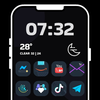
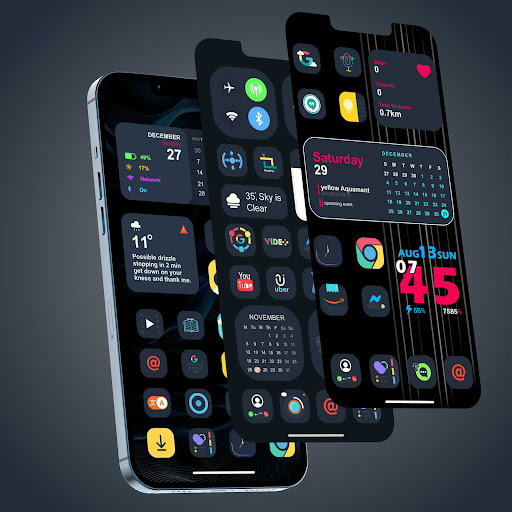
Let's theme Android with this free HD icon pack, and set unique wallpaper. Unique and stylish square icons pack for Android phone. Iconpack contains HD icons, 100+ unique wallpaper and HD icon pack theme icon changer support all home and launcher apps.
▶ HD Icon pack
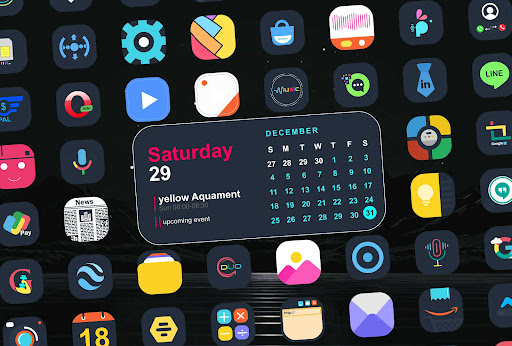
Square shaped free HD icon pack app offer handcrafted HD icons. The icons are designed in dark shade that will give a unique look to your homescreen and app drawer. Theme your launcher style in unique design with our free HD icon pack.
HD iconpack support unique masks for all unthemed apps.
Free icon pack HD contain all kind of icon set categories like popular apps, social media apps and default apps.
The dedicated apply section to change HD icon pack is very easy to use, you just need to select your favorite launcher from the list and change app icons instantly. Icon changer require a custom launcher like - Nova Launcher, Go Launcher, OnePlus Launcher, Oppo Color OS and other.
▶ Unique wallpaper
Download a handpicked collection of unique wallpaper for Android. New wallpaper are added on regular basis to refresh your homescreen.
▶ Use with ease
Download the icon changer app to change icons in a perfect and unique way. Custom launchers can enhance the look and feel of the app drawer. Replace the default icon pack HD to square icons and give a unique design to homescreen. Matching unique wallpaper can also be used as background for home screen.
▶ Please note
It's not a standalone app it's an free HD icon pack.
To apply the free icons you need to install a custom Android launcher.
▶ How To Apply
First please install any custom launcher from Play Store like EX launcher.
1. Open HD themes app
2. Go to Apply tab and select your desired launcher from the list.
Get the free icon pack now!