Legion Watch Face Nodeshaper

ASO Keyword Dashboard
Tracking 110 keywords for Legion Watch Face Nodeshaper in Google Play
Legion Watch Face Nodeshaper tracks 110 keywords (no keywords rank yet; 110 need traction). Key metrics: opportunity 70.6, difficulty 48.6.
A Realistic and Elegant Analog Watch Face
Tracked keywords
110
0 ranked • 110 not ranking yet
Top 10 coverage
—
Best rank — • Latest leader —
Avg opportunity
70.6
Top keyword: analog
Avg difficulty
48.6
Lower scores indicate easier wins
Opportunity leaders
- 62.5
analog
Opportunity: 74.0 • Difficulty: 38.5 • Rank —
Competitors: 188
- 66.0
api
Opportunity: 74.0 • Difficulty: 42.5 • Rank —
Competitors: 397
- 66.2
finger
Opportunity: 74.0 • Difficulty: 48.5 • Rank —
Competitors: 1,341
- 65.8
supporting
Opportunity: 74.0 • Difficulty: 41.8 • Rank —
Competitors: 454
- 62.8
worth
Opportunity: 74.0 • Difficulty: 41.4 • Rank —
Competitors: 574
Unranked opportunities
analog
Opportunity: 74.0 • Difficulty: 38.5 • Competitors: 188
api
Opportunity: 74.0 • Difficulty: 42.5 • Competitors: 397
finger
Opportunity: 74.0 • Difficulty: 48.5 • Competitors: 1,341
supporting
Opportunity: 74.0 • Difficulty: 41.8 • Competitors: 454
worth
Opportunity: 74.0 • Difficulty: 41.4 • Competitors: 574
High competition keywords
access
Total apps: 333,351 • Major competitors: 12,317
Latest rank: — • Difficulty: 58.6
make
Total apps: 330,607 • Major competitors: 20,499
Latest rank: — • Difficulty: 57.9
like
Total apps: 285,964 • Major competitors: 22,354
Latest rank: — • Difficulty: 60.7
experience
Total apps: 282,160 • Major competitors: 16,650
Latest rank: — • Difficulty: 57.0
every
Total apps: 262,896 • Major competitors: 14,694
Latest rank: — • Difficulty: 56.0
All tracked keywords
Includes opportunity, difficulty, rankings and competitor benchmarks
| Major Competitors | |||||||
|---|---|---|---|---|---|---|---|
| play | 66 | 100 | 60 | 85 203,099 competing apps Median installs: 7,389 Avg rating: 2.8 | — | — | 20,149 major competitor apps |
| social media | 71 | 100 | 48 | 73 37,766 competing apps Median installs: 3,096 Avg rating: 2.4 | — | — | 2,232 major competitor apps |
| health | 69 | 100 | 49 | 77 68,427 competing apps Median installs: 772 Avg rating: 2.1 | — | — | 1,945 major competitor apps |
| customization | 73 | 100 | 45 | 68 17,429 competing apps Median installs: 4,279 Avg rating: 2.7 | — | — | 1,210 major competitor apps |
| change | 68 | 100 | 52 | 79 89,466 competing apps Median installs: 4,887 Avg rating: 2.6 | — | — | 6,330 major competitor apps |
| right | 67 | 100 | 57 | 83 156,685 competing apps Median installs: 1,935 Avg rating: 2.5 | — | — | 8,727 major competitor apps |
| version | 70 | 100 | 54 | 76 56,409 competing apps Median installs: 4,967 Avg rating: 2.7 | — | — | 3,367 major competitor apps |
| try | 69 | 100 | 55 | 78 78,885 competing apps Median installs: 7,174 Avg rating: 2.8 | — | — | 7,845 major competitor apps |
| make | 65 | 100 | 58 | 88 330,607 competing apps Median installs: 2,478 Avg rating: 2.5 | — | — | 20,499 major competitor apps |
| experience | 65 | 100 | 57 | 87 282,160 competing apps Median installs: 1,764 Avg rating: 2.5 | — | — | 16,650 major competitor apps |
| digital | 68 | 100 | 51 | 81 121,559 competing apps Median installs: 874 Avg rating: 2.2 | — | — | 4,506 major competitor apps |
| heart | 71 | 100 | 47 | 74 41,760 competing apps Median installs: 1,007 Avg rating: 2.2 | — | — | 1,578 major competitor apps |
| wear | 71 | 100 | 61 | 72 32,151 competing apps Median installs: 376 Avg rating: 1.9 | — | — | 869 major competitor apps |
| analog | 74 | 100 | 39 | 62 8,264 competing apps Median installs: 500 Avg rating: 2.0 | — | — | 188 major competitor apps |
| design | 68 | 100 | 52 | 80 97,470 competing apps Median installs: 1,959 Avg rating: 2.4 | — | — | 4,837 major competitor apps |
| dial | 73 | 100 | 37 | 59 4,823 competing apps Median installs: 637 Avg rating: 2.1 | — | — | 202 major competitor apps |
| wear os | 72 | 100 | 60 | 70 23,924 competing apps Median installs: 287 Avg rating: 1.7 | — | — | 297 major competitor apps |
| setting | 72 | 100 | 50 | 70 23,170 competing apps Median installs: 3,742 Avg rating: 2.6 | — | — | 1,342 major competitor apps |
| enhance | 69 | 100 | 50 | 78 74,450 competing apps Median installs: 1,382 Avg rating: 2.5 | — | — | 3,836 major competitor apps |
| everything | 68 | 100 | 52 | 79 94,622 competing apps Median installs: 1,381 Avg rating: 2.4 | — | — | 4,616 major competitor apps |
| option | 70 | 100 | 49 | 74 47,034 competing apps Median installs: 3,043 Avg rating: 2.5 | — | — | 2,514 major competitor apps |
| available | 66 | 100 | 58 | 84 194,274 competing apps Median installs: 2,779 Avg rating: 2.5 | — | — | 10,372 major competitor apps |
| api | 74 | 100 | 43 | 66 13,732 competing apps Median installs: 462 Avg rating: 2.2 | — | — | 397 major competitor apps |
| customizable | 71 | 100 | 48 | 73 40,013 competing apps Median installs: 1,406 Avg rating: 2.6 | — | — | 2,238 major competitor apps |
| rate | 70 | 100 | 47 | 75 49,543 competing apps Median installs: 3,239 Avg rating: 2.2 | — | — | 2,250 major competitor apps |
App Description
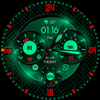
A Realistic and Elegant Analog Watch Face
Highlights:
- Realistic hybrid dial (digital and analog design elements combined)
- Color customization (8 LCD colors )
- Custom Animated Dial
- 2 custom shortcuts to access your favorite widget
- Beautiful AOD
- Watch face displays time, steps, heart rate, day of the week, day of the month + 2 custom complications
***
IMPORTANT!
This is a Wear OS Watch Face app. Its supporting only smartwatch devices which are running with WEAR OS API 30+. For example: Samsung Galaxy Watch 4, Samsung Galaxy Watch 5, Samsung Galaxy Watch 6 and some more.
Problems with the installation even with a compatible smartwatch?
Contact me: nodeshaper@gmail.com
***
Color adjustments:
1. Press and hold your finger at center on the watch display.
2. Press the button to adjust.
3. Swipe left or right to switch between the different customizable items.
4. Swipe up or down to change the options/color of the items.
Additional functionality:
+ tap the battery indicator to open battery details
(not supported by every smartwatch)
Heart rate measurement (Version 1.0.4):
The heart rate measurement has been changed. (Previously manual, now automatic). Set the measurement interval in the watch's health settings (Watch Setting > Health).
****
Setting up app shortcuts and custom complications:
shortcuts = links to a widget
1. Press and hold the watch display.
2. Push the customize button.
3. Swipe from right to left until you reach the "complications".
4. 5 app shortcuts and 2 custom complications are highlighted. Click on them to make the desired settings.
That's it.
If you like the design, it is definitely worth to have a look at my other creations. More designs will be available for Wear OS in the future.
I also would be happy for every feedback in the play store. What you like, what you don't like or any suggestions for the future. I try to have everything in view.
My Social Media to be always up to date:
Instagram: https://www.instagram.com/nodeshaper
YouTube: https://www.youtube.com/c/nodeshaper
Twitter: https://twitter.com/nodeshaper